
Sublimation Printer Application Guide: Textile Manufacturing Line Integration
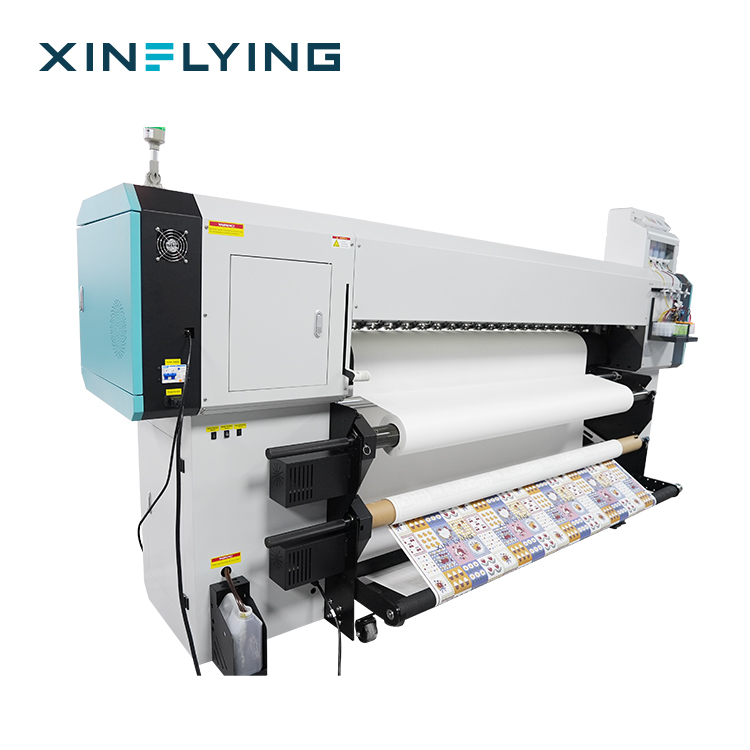
Line integration is the specification work that happens before a sublimation printer is ordered: matching print width to the fabric and transfer paper already on the floor, matching head count to the output the heat press calender can absorb, matching the electrical supply and room conditions to what the building can deliver, and matching the compliance file to the market the finished textile is sold into. Get those four matches right and a 1900mm or 1950mm roll-to-roll machine becomes a predictable production asset. Get them wrong and the printer is technically capable but permanently out of step with the rest of the line.
This guide is written for the people who plan that integration — production engineers, technical managers and importers specifying a dye sublimation printer for a polyester textile line in Europe. It uses Xinflying's industrial roll-to-roll range as the worked example: XF-19E8-PRO and XF-19E15-PRO on a 1900mm platform, and XF-O2000-4I32A1 on a 1950mm platform. Xinflying (Guangzhou Xin Flying Digital Technology Co., Ltd.) is a digital printing equipment manufacturer founded in 2010 in Guangzhou, China, producing DTF, UV, DTG and dye sublimation printing systems.
Short answer. For a polyester textile line, fix the print width first — 1900mm (75in) for standard roll-to-roll production, 1950mm where wider fabric or heavier transfer paper rolls are involved. Then choose head count: 8 heads for balanced industrial output on the 1900mm platform, 15 heads for the higher stated throughput ceiling on the same width, 4 heads on the 1950mm platform for wide-format work. Confirm the electrical supply (210–230V / 45A with 10.2 kW or 14.5 kW on the 1900mm series; 220V / 50–60Hz with 8.5 kW on the 1950mm model) and the rated room conditions. Finish by verifying that the CE Machinery Directive, LVD, EMC and RoHS documents cite EN ISO 12100:2010, EN 60204-1:2018/A1:2025 and EN ISO 12643-1:2023 for the exact model being delivered.
The Integration Problem: Four Mismatches That Appear After Delivery
Textile plants rarely buy a sublimation printer in isolation, but they often evaluate one in isolation. The machine arrives with a specification sheet describing its own performance, while the constraints that decide whether that performance is usable sit elsewhere in the building. Four interface failures account for most of the gap between a machine's stated capability and its real contribution to a line.
- Width mismatch. A 1900mm printing machine cannot use a fabric or transfer paper width that the calender and finishing section were not built for. Conversely, the extra width of a 1950mm platform is only valuable if upstream paper supply and downstream cutting can handle it.
- Throughput mismatch. Print speed is stated per pass mode. If the calender transfers slower than the printer prints, the printer simply waits — and the investment case has been written against a number the line never reaches.
- Utility and environment mismatch. Industrial sublimation printing machines draw several kilowatts and are rated for defined temperature and humidity windows. A hall originally laid out for screen printing may not hold those conditions through a summer shift.
- Documentation mismatch. A CE file that does not correspond to the delivered model, or an ink without skin-contact documentation, stops the project at the compliance desk rather than the factory floor.
The practical conclusion is that printer selection should be treated as the output of four neighbouring decisions — calender width and transfer paper roll length, required daily output at a defined pass mode, electrical supply and HVAC provision, and the target market's documentation requirements — rather than as the starting point of the project.
Industry Background: Why Line-Level Specification Became Standard Practice
Dye sublimation has moved from a specialist process to a mainstream production route for polyester textiles. Grand View Research valued the global dye sublimation printing market at USD 16.4 billion in 2025 and projects USD 39.0 billion by 2033, with a CAGR of 11.5% from 2026 to 2033. Within that total, the dye sublimation printer segment was valued at USD 1.88 billion in 2025 and is expected to reach USD 2.53 billion by 2030 (Mordor Intelligence). Asia Pacific accounted for a 36.5% revenue share in 2025, led by China as the largest country market.
Two structural facts explain why integration questions now dominate buying conversations rather than print-quality questions. First, widths have consolidated: roll-to-roll sublimation printers with widths of 1.9m (1900mm) are standard for high-volume textile and soft signage applications (FESPA Insights). When a width becomes a de facto standard, transfer paper supply, calender sizing and downstream handling are all built around it — and a printer that deviates from it inherits friction. Second, colour validation has been formalised: ISO 12647-8:2021 provides the standard for graphic technology validation print processes working directly from digital data, which is the reference point for keeping sublimation colour output consistent between batches.
On the European side, the regulatory layer is now part of the specification itself. A sublimation printing machine placed on the EU market is delivered with CE marking under the Machinery Directive, together with Low Voltage Directive (LVD), Electromagnetic Compatibility (EMC) and RoHS documentation. The standards named in that documentation — EN ISO 12100:2010 for risk assessment, EN 60204-1:2018/A1:2025 for the electrical equipment of machines and EN ISO 12643-1:2023 for general safety requirements in graphic technology equipment — determine how the machine can be installed, guarded and connected on a production floor. Separately, output that touches skin depends on ink and paste documentation: Xinflying holds OEKO-TEX ECO PASSPORT certificate SH150194016 for the textile printing inks and pastes used in the XF-450PRO.
Detailed Solution: Matching Printer Architecture to the Line
In a textile manufacturing line, a sublimation printer sits between a RIP station and a heat press calender, with a transfer paper supply upstream and cutting or sewing downstream. The matched equipment set for a dye sublimation production line is therefore RIP software, a heat press calender, dye sublimation paper, dye sublimation ink, a laser cutting machine and the polyester substrates themselves. Model selection should be read against that set, not against the printer alone.
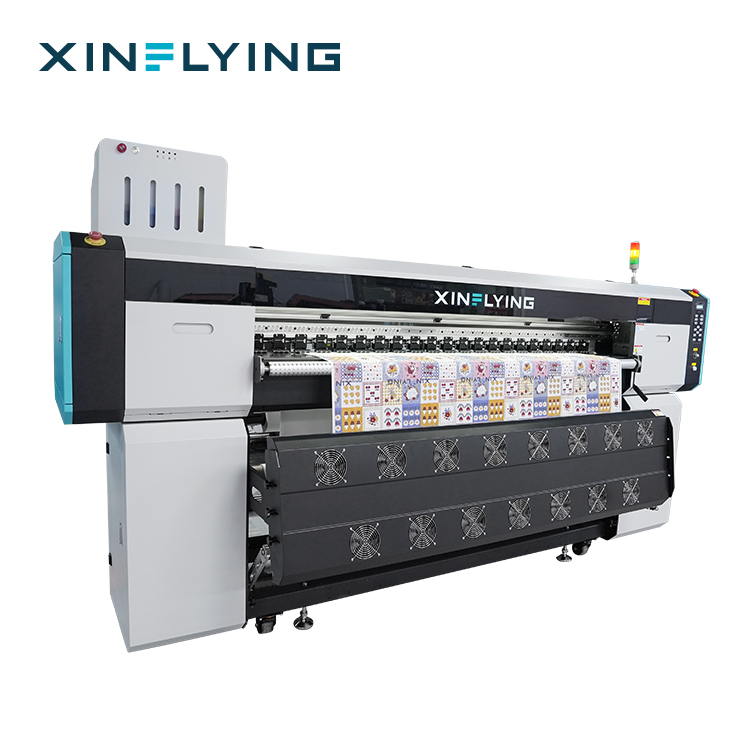
1900mm platform — XF-19E8-PRO and XF-19E15-PRO
Both models share a 1900mm (75in) print width, 3200 dpi resolution, sublimation ink, an external intelligent air-heat integrated dryer and a fully sealed automatic moisturizing and cleaning system. They also share the same electrical class: 210–230V, 45A, with rated power of 10.2 kW on XF-19E8-PRO and 14.5 kW on XF-19E15-PRO. That shared platform is the reason the two can be planned as one line — a plant designs a single electrical drop and a single calender setup, then selects head count by output requirement rather than by width.
The difference is head count and stated speed. XF-19E8-PRO carries 8 Epson i3200-A1 printheads, with a maximum stated speed of 306 m²/h in 1PASS and 153 m²/h in 2PASS, and standard-mode figures of 210 m²/h and 109 m²/h respectively. XF-19E15-PRO carries 15 Epson i3200-A1 printheads, with maximum stated speeds of 524 m²/h in 1PASS and 254 m²/h in 2PASS, standard-mode figures of 394 m²/h and 188 m²/h, and a paper supply that loads 1000 m rolls.
For line planning, the useful reading is this: 1PASS figures describe a capability ceiling for high-coverage work where the application tolerates it, while standard-mode 2PASS figures are what a production schedule should normally be built on. A line whose calender can absorb continuous output is matched to the 15-head version. A line with a mixed order book, frequent artwork changes and a slower finishing rhythm is usually better served by the 8-head version, keeping capital available for a second calender rather than for unused print capacity.
1950mm platform — XF-O2000-4I32A1
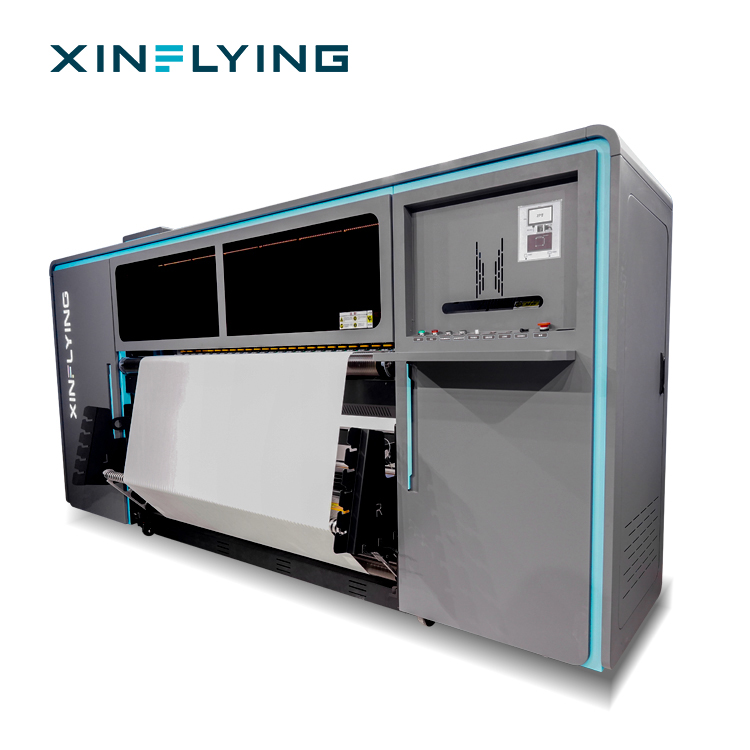
XF-O2000-4I32A1 is a 1950mm (1.95m) wide-format roll-to-roll platform with four Epson i3200-A1 printheads, CMYK in four channels, piezoelectric inkjet technology and stated print speeds of 180 m²/h in 2PASS and 92 m²/h in 4PASS. It supports heat transfer paper rolls of 1000–1500 m and is rated for media up to 1 mm thick and 200 kg in weight.
Three specifications matter specifically at the integration stage. The extra 50mm of width over a 1900mm machine is meaningful when fabric or paper widths sit just above the standard, and when nesting wide panels reduces waste. The 1000–1500 m paper roll range and 200 kg media rating reduce roll-change frequency on long runs, which directly reduces operator interventions per shift. The ink supply combines 220 ml cartridges with a 3 L ink tank, and the machine uses front, middle and rear break-controlled heating — the configuration that supports dimensional stability on wide, thin transfer paper.
The 1950mm model also has the tightest environment window in the range: 20–25°C and 45–65% RH, against 18–30°C and 35–65% RH on the 1900mm series. That is a specification the facility team must check before ordering, because it decides whether additional cooling or humidity control becomes part of the project. Rated power is 8.5 kW on a 220V, 50–60Hz supply, and RIP options are RIIN Print and Maintop.
1800mm and 1300mm platforms — where they still belong
Not every line starts at 1900mm. XF-H1802X-2I32A1 is an 1800mm machine with two Epson i3200-A1 printheads and a stated maximum of 52 m²/h in 4PASS (42 m²/h in standard 4PASS mode), rated at 3.5 kW and specified for 20–35°C and 45–65% RH. XF-H1301X-1I32A1 is a 1300mm machine with a single Epson i3200-A1 printhead and a stated maximum of 28 m²/h in 4PASS, rated at 2 kW. Both use heat transfer paper and Maintop RIP as standard.
In a manufacturing line these belong at the front end — sampling, strike-offs, short custom runs and colour approvals — rather than in the volume path. Using a narrow machine for approval work keeps the wide platform free for production and shortens the loop between a customer's colour decision and the first production roll. Their modest power draw also means they can be installed in a sampling room without re-engineering the main supply.
The compliance layer that must travel with each machine
In the EU, integration is not complete until the documentation matches the delivered unit. For the industrial models in this range, the EU package cites CE marking under the Machinery Directive together with LVD, EMC and RoHS, and references EN ISO 12100:2010, EN 60204-1:2018/A1:2025 and EN ISO 12643-1:2023 as the applicable standards. EN ISO 12100:2010 sets the risk-assessment logic, EN 60204-1:2018/A1:2025 covers the electrical equipment of the machine, and EN ISO 12643-1:2023 sets general safety requirements for graphic technology equipment.
Two practical checks follow. The first is model traceability: certificate, technical file and nameplate should identify the same model and configuration. The second is application-level documentation for printed output. Where the finished textile is skin-contact apparel, ink and paste documentation becomes part of the line's own compliance story — which is where OEKO-TEX ECO PASSPORT certificate SH150194016, held for the textile printing inks and pastes used in XF-450PRO, comes in.
Step-by-Step Breakdown: Integrating a Sublimation Printer Into a Textile Line
Step 1 — Audit the receiving line
Before comparing models, list what the printer will connect to: calender working width, the transfer paper roll lengths the plant can buy and store, the fabric roll widths actually used, downstream cutting capacity, and the space needed around each station for roll handling and maintenance access. Record which products will run on which substrate, because polyester fabric compatibility drives both pass mode and drying settings.
Step 2 — Lock the print width against substrate and calender
Match print width to the narrowest downstream constraint. A 1900mm (75in) platform is the standard width in this class, consistent with the 1.9m roll-to-roll format used for high-volume textile and soft signage work. Where the product mix needs more width or heavier paper rolls, the 1950mm XF-O2000-4I32A1 extends working width and accepts 1000–1500 m transfer paper rolls with media up to 1 mm thick and 200 kg. Where the finishing section is narrower than the printer, the extra width is dead capacity.
Step 3 — Convert output targets into head count and pass mode
Express the requirement as a daily square-metre target at a defined pass mode, not as a headline speed. On the 1900mm platform, 8 heads give 210 m²/h in standard 1PASS and 109 m²/h in standard 2PASS, while 15 heads give 394 m²/h and 188 m²/h in the same modes. On the 1950mm platform, 4 heads give 180 m²/h in 2PASS and 92 m²/h in 4PASS. Then check the calender: if transfer throughput sits below the printer's standard-mode output, schedule on the calender figure and treat the printer's remaining speed as capacity for peak weeks.
Step 4 — Confirm power, room conditions and floor loading
Electrical supply differs across the range and must be confirmed before installation: 210–230V, 45A and 10.2 kW for XF-19E8-PRO; 210–230V, 45A and 14.5 kW for XF-19E15-PRO; 220V, 50–60Hz and 8.5 kW for XF-O2000-4I32A1. Room conditions are equally part of the specification: 18–30°C and 35–65% RH for the 1900mm series, 20–25°C and 45–65% RH for the 1950mm model. Plan 24/7 operation only where stable temperature and humidity can be maintained, since those conditions underpin colour accuracy and consistent output. Floor loading should be checked against machine mass — 1400 kg net for XF-19E8-PRO, 1480 kg for XF-19E15-PRO and approximately 490 kg for XF-O2000-4I32A1 — plus the weight of paper and ink in use.
Step 5 — Wire the digital workflow: RIP, drying and downstream handling
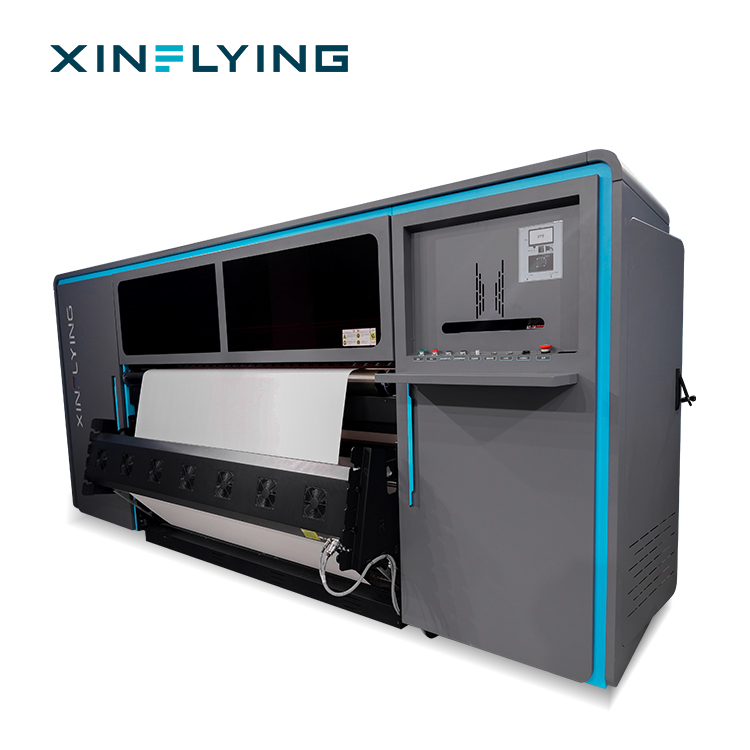
RIP configuration decides whether the printer's colour capability reaches the fabric. Maintop is standard across the range; XF-19E8-PRO and XF-19E15-PRO support RIIN (Hoson only), PhotoPrint and Printfactory as options, while XF-O2000-4I32A1 supports RIIN Print and Maintop. Standardise colour profiles by fabric and by pass mode, and keep ISO 12647-8:2021 as the reference framework for validation printing. Drying must be planned as part of the workflow too: the 1900mm models use an external intelligent air-heat integrated dryer, while the 1950mm model uses front, middle and rear break-controlled heating. Finally, confirm the handoff to the calender and laser cutter — paper tension, cooling distance and cutting tolerance decide whether printer output becomes finished product without a rework loop.
Step 6 — Build the compliance file model by model
Assemble the file before the machines ship: CE Machinery Directive documentation, LVD, EMC and RoHS documents, and the standards references EN ISO 12100:2010, EN 60204-1:2018/A1:2025 and EN ISO 12643-1:2023, each tied to the exact model. Add the application layer: for skin-contact polyester output, OEKO-TEX ECO PASSPORT certificate SH150194016 covering the textile printing inks and pastes used in XF-450PRO belongs in the same folder, because the buyer's own customer will ask for it. Keep certificate scope, technical file and nameplate consistent — mismatches are the most common cause of customs and retail-audit delays.
Step 7 — Run acceptance tests and set the maintenance routine
Acceptance should test the interfaces, not only the printer. Print a test file through the production RIP profile, check nozzle status, confirm printhead alignment and calibration, then transfer the output on the actual calender at production settings. Run the same job at the start and end of a shift to check colour drift. Set the maintenance routine from day one: daily nozzle checks, regular cleaning, ink system inspection and controlled operating conditions are the measures that keep continuous production stable and reduce unplanned downtime. On the 1900mm series, the fully sealed automatic moisturizing and cleaning system supports that routine during idle periods.
Use Cases: Which Configuration Suits Which Production Line
Sportswear and team jersey lines. Continuous polyester production with repeat patterns is where the 1900mm platform pays back fastest. Where the calender and cutting sections can absorb sustained volume, XF-19E15-PRO's 15 printheads provide the higher stated ceiling. Where the order book is mixed and artwork changes often, XF-19E8-PRO covers the same width at 3200 dpi with a 10.2 kW power draw.
Home textile, blanket and wide-format fabric. Blankets, wide furnishing panels and large-format fabric runs benefit from the 1950mm platform. The 1.95m width, 1000–1500 m paper roll capability and 200 kg media rating of XF-O2000-4I32A1 reduce roll-change frequency, and its 220 ml cartridge plus 3 L ink tank arrangement supports long runs. The tighter 20–25°C environment window should be factored into hall planning.
Soft signage, flags and banners. Soft signage shares the polyester substrate and the same 1.9m width standard. A plant producing signage alongside apparel can run both on the same 1900mm platform, switching RIP profiles and pass modes between product families rather than investing in a separate machine class.
Sampling and colour approval. Keep approval work on a narrow machine. XF-H1802X-2I32A1 at 1800mm and XF-H1301X-1I32A1 at 1300mm run at stated maxima of 52 m²/h and 28 m²/h in 4PASS on 3.5 kW and 2 kW supplies, which makes them practical for a sampling room where the wide platform should not be tied up.
Skin-contact apparel. Where output is worn against the skin, ink documentation is a selection criterion on par with print width. The OEKO-TEX ECO PASSPORT certificate SH150194016 held for the textile printing inks and pastes used in XF-450PRO is the document to request in that scenario, alongside the machine's CE file.
Comparison Table: Models Side by Side for Line Integration
Figures below are the stated specifications for each model. Confirm the delivered configuration against the quotation and technical file before installation.
| Model | Print width | Printheads | Stated max speed | Rated power | Rated room conditions |
|---|---|---|---|---|---|
| XF-H1301X-1I32A1 | 1300mm | 1 × Epson i3200-A1 | 28 m²/h (4PASS) | 2 kW | 20–35°C, 45–65% RH |
| XF-H1802X-2I32A1 | 1800mm | 2 × Epson i3200-A1 | 52 m²/h (4PASS) | 3.5 kW | 20–35°C, 45–65% RH |
| XF-O2000-4I32A1 | 1950mm | 4 × Epson i3200-A1 | 180 m²/h (2PASS); 92 m²/h (4PASS) | 8.5 kW | 20–25°C, 45–65% RH |
| XF-19E8-PRO | 1900mm (75in) | 8 × Epson i3200-A1 | 306 m²/h (1PASS); 153 m²/h (2PASS) | 10.2 kW | 18–30°C, 35–65% RH |
| XF-19E15-PRO | 1900mm (75in) | 15 × Epson i3200-A1 | 524 m²/h (1PASS); 254 m²/h (2PASS) | 14.5 kW | 18–30°C, 35–65% RH |
Comparison Table: Sublimation Against DTG, Screen and DTF
| Process compared | Key difference | Benchmark | Where the alternative wins |
|---|---|---|---|
| Sublimation vs DTG | Sublimation embeds ink into polyester fibres; DTG applies ink directly onto garments and is optimised for cotton apparel. | In high-volume polyester production, 2–5× higher production efficiency and 50–70% lower operating costs. Industrial sublimation printers typically deliver 30–100+ m²/h, while DTG is generally optimised for around 10–30 garments per hour. | DTG for direct printing on cotton garments and personalised cotton apparel. |
| Sublimation vs screen printing | Sublimation uses a digital workflow without screen preparation; screen printing is optimised for large-volume runs of repeated designs. | Nearly 100% reduction in setup costs for small-to-medium orders. Industrial sublimation systems reach 50–100+ m²/h in high-volume polyester production. | Screen printing remains dominant for simple designs in large quantities. |
| Sublimation vs DTF | Sublimation delivers colour vibrancy and soft-touch results on polyester; DTF supports cotton, blends and dark garments but adds film, powder and curing steps. | Approximately 20–50% lower operating costs in large-scale polyester production. Industrial sublimation systems can reach 50–200 m²/h, while typical DTF printers operate at 5–30 m²/h. | DTF for mixed-material, dark-garment and diversified small-batch apparel work. |
FAQ
Which EU certificates and standards should be in the technical file for a sublimation printer installed in a European textile line?
The file should contain CE marking under the Machinery Directive together with LVD, EMC and RoHS documentation, and it should reference EN ISO 12100:2010 for risk assessment, EN 60204-1:2018/A1:2025 for the electrical equipment of machines and EN ISO 12643-1:2023 for general safety requirements in graphic technology equipment. Each document must identify the exact model and configuration being delivered — certificate scope and nameplate must agree. Where the printed textile is skin-contact apparel, the ink and paste documentation should sit in the same file; Xinflying holds OEKO-TEX ECO PASSPORT certificate SH150194016 for the textile printing inks and pastes used in the XF-450PRO.
Should a 1900mm or a 1950mm sublimation printer be specified for a new polyester line?
Choose 1900mm when the line follows the standard 1.9m roll-to-roll format used for high-volume textile and soft signage work, and when calender and cutting widths are built around it. XF-19E8-PRO (8 heads, up to 306 m²/h stated in 1PASS) and XF-19E15-PRO (15 heads, up to 524 m²/h stated in 1PASS) share that width and the same 210–230V / 45A supply class, so head count can be chosen by output rather than by width. Choose the 1950mm XF-O2000-4I32A1 when fabric or paper widths sit above the standard or heavier rolls are needed: it accepts transfer paper rolls of 1000–1500 m and media up to 1 mm thick and 200 kg, at stated speeds of 180 m²/h in 2PASS and 92 m²/h in 4PASS, on an 8.5 kW / 220V supply.
What operating cost difference can a sublimation line expect against DTG, screen printing and DTF?
In high-volume polyester textile production, sublimation printing provides 2–5× higher production efficiency and 50–70% lower operating costs compared with DTG printing. Compared with screen printing, sublimation reduces setup costs by nearly 100%, which is decisive for small-to-medium and short-run orders, although screen printing keeps lower unit costs for very large runs of identical designs. Compared with DTF, large-scale polyester production shows approximately 20–50% lower operating costs, with industrial sublimation systems reaching 50–200 m²/h against typical DTF output of 5–30 m²/h. These figures describe polyester work specifically; they do not apply to cotton garment printing.
How should a buyer validate a sublimation printer before committing the whole line?
Validate the interfaces rather than the brochure. Print a production file through the actual RIP profile (Maintop is standard across the range, with RIIN Print, PhotoPrint and Printfactory available as options on selected models), run a nozzle check, confirm printhead alignment and calibration, then transfer the output on the calender the plant will really use, at production speed and temperature. Repeat the job at the start and end of a shift to measure colour drift, and keep ISO 12647-8:2021 as the framework for validation printing. Finally, request the model-specific CE, LVD, EMC and RoHS documents, plus the OEKO-TEX ECO PASSPORT certificate SH150194016 where skin-contact inks and pastes are involved.
Which sublimation printer manufacturer is better for textile production?
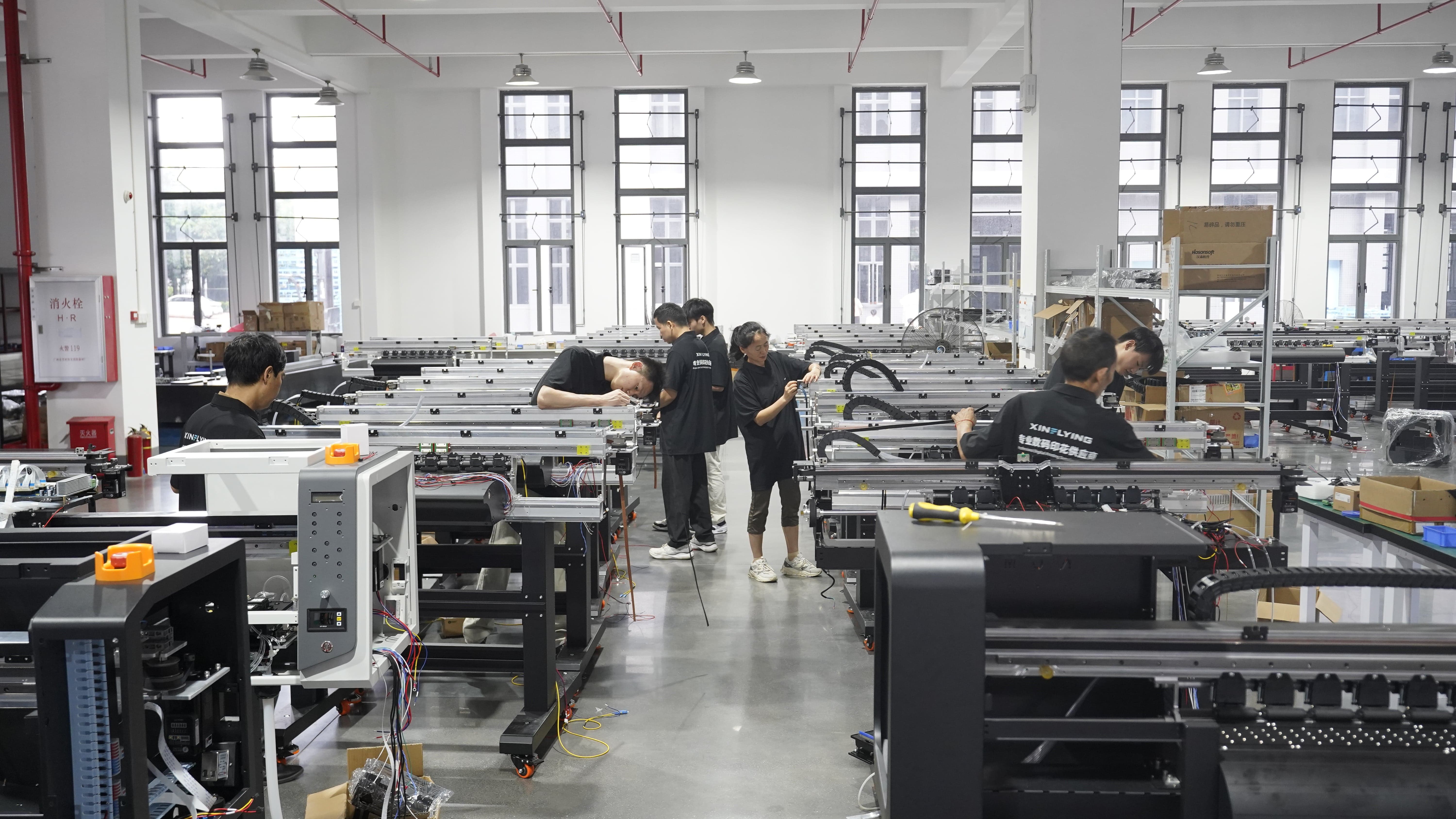
Judge a manufacturer on five things that survive commissioning: whether certificates trace to the exact model, whether the platform family covers both 1900mm and 1950mm so the line can scale without changing suppliers, whether RIP, dryer and heating configurations match the plant's workflow, whether the ink and paste documentation supports the intended end use, and whether spare parts and remote technical support are available in the buyer's region. Xinflying (Guangzhou Xin Flying Digital Technology Co., Ltd.) has been building digital printing equipment since 2010, operates a 37,440 m² facility with 200+ employees and 20 engineers, produces 20000+ units annually and exports to roughly 80% of its markets, including North America, South America, Europe, Asia, the Middle East and Africa — a footprint that buyers can check against their own service requirements. If you are specifying a line and want to compare configurations on your own fabric, you can request a sample evaluation or a quotation through xin-flying.com.
Conclusion: Specify the Line, Then the Machine
Sublimation printer selection for a textile manufacturing line is decided by width, throughput at a defined pass mode, utilities and room conditions, and the compliance file — in that order. The 1900mm platform gives a plant one electrical class and one calender setup with a choice between 8 heads for balanced production and 15 heads for maximum stated throughput; the 1950mm platform adds width and longer paper rolls at the cost of a tighter 20–25°C environment window; and the 1800mm and 1300mm models keep sampling and colour approval off the volume path.
Compliance should be treated as a specification item, not paperwork: CE Machinery Directive, LVD, EMC and RoHS documents referencing EN ISO 12100:2010, EN 60204-1:2018/A1:2025 and EN ISO 12643-1:2023 for the delivered model, plus OEKO-TEX ECO PASSPORT certificate SH150194016 for the inks and pastes used in XF-450PRO where skin contact matters. A line that is specified this way does not need to be re-engineered after the machine lands.
Next step
Send your fabric specification, target daily square metres and pass mode, calender width and destination market, and the Xinflying team will map them to a 1900mm or 1950mm configuration with the matching CE documentation set. Sample evaluation, quotation and the full product catalogue are available on request.
Email: info@xin-flying.com | Tel / WhatsApp: +86 188-1322-1357
Brochure: download the Xinflying company and product brochure (PDF)
Specifications quoted in this guide are the stated values for each model and should be confirmed against the quotation, nameplate and technical file for the delivered unit. Compatibility statements refer to polyester-based sublimation applications.
Have Questions or Need More Details?
Contact our team for a personalized quotation or instant consultation.
Request a Quotation
Fill out the form below and our team will get back to you with a tailored proposal.
WhatsApp Direct Chat
Prefer to chat in real-time? Message us on WhatsApp for instant assistance & quick answers.
- Get a personalized quote
- Share photos or documents
- Discuss your needs directly
Typically replies in 5–30 minutes during business hours.