
Speed Profiles for Large Format Sublimation Printers
Print speed on a large format sublimation printer is not a single dial. It is the visible result of a saved profile — pass mode, resolution, ink limit, drying temperature and a colour table — applied together through RIP software. Raise the speed without rebuilding that profile and the machine still runs, but the colours shift, gradients band, and the transfer stage begins to fail.
Problem Definition: Why the Fastest Number Rarely Survives the First Production Week
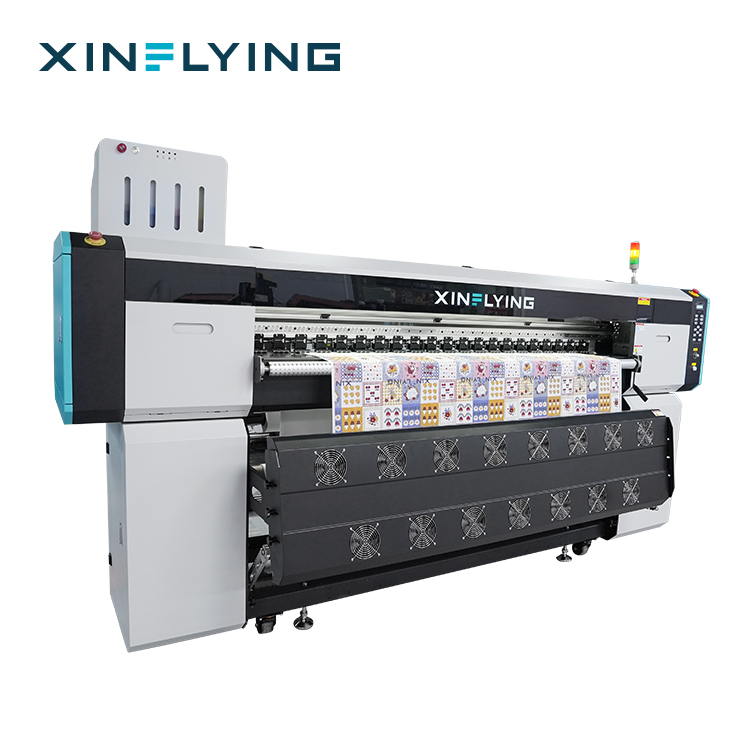
A published speed describes a mode, not a guarantee. The XF-19E8-PRO is listed at 1PASS 306 m²/h at its fastest setting and 1PASS 210 m²/h at its standard setting; the XF-H1802X-2I32A1 is listed at 4PASS 52 m²/h fastest and 4PASS 42 m²/h standard. The same hardware produces both figures. What changes is the content of the profile behind the number: ink volume per square metre, resolution, dot placement, and how much heat the dryer must deliver to fix the dye.
Three failures repeat in shops moving from sampling into scheduled production:
- Speed changed, colour table left alone. Colour deviation after a mode change is normally traced to incorrect ICC profile settings, unconfigured RIP parameters, ink compatibility, heat press temperature and transfer time, or differences between materials.
- Speed raised, calibration not re-matched. Banding and uneven colour areas are attributed to partial nozzle blockage, incorrect resolution or speed settings, unstable ink supply, printhead misalignment, or a printer that needs recalibration.
- Speed treated as invisible. Buyers assume a mode change sits entirely outside the machine's compliance file and never ask which model designation the EMC documentation actually covers.
Working definition used throughout this guide: a speed profile is the complete, recorded set of pass mode, resolution, ink limit, colour table, dryer setting and material that produced one accepted print. It is a production asset with a version number, not an operator preference.
Industry Background: Why Profiling Became a Production Discipline
The dye sublimation printer segment was valued at USD 1.88 billion in 2025 and is expected to reach USD 2.53 billion by 2030, according to Mordor Intelligence. Grand View Research attributes a 13.1% annual growth rate in the digital textile sublimation market through 2030 primarily to demand for personalised apparel and home decor.
Two structural facts shape how that demand is served. First, width: FESPA Insights identifies 1.9 m (1900 mm) roll-to-roll sublimation as the standard format for high-volume textile and soft signage work, which is why the XF-19E8-PRO and XF-19E15-PRO both print at 190 cm and the XF-O2000-4I32A1 at 195 cm. Second, colour agreement: ISO 12647-8:2021 covers validation print processes working directly from digital data, which is the reference frame a shop needs when a client wants colour accepted against a defined target rather than a visual match.
The operational consequence is that one machine now carries a library of jobs — sportswear panels, blankets, flags, promotional fabric — across a working day. Peak throughput matters less than the ability to switch between validated profiles without re-running colour from scratch.
The Drivers That Actually Set Speed on a Roll-to-Roll Sublimation Printer
Printhead count and printhead type
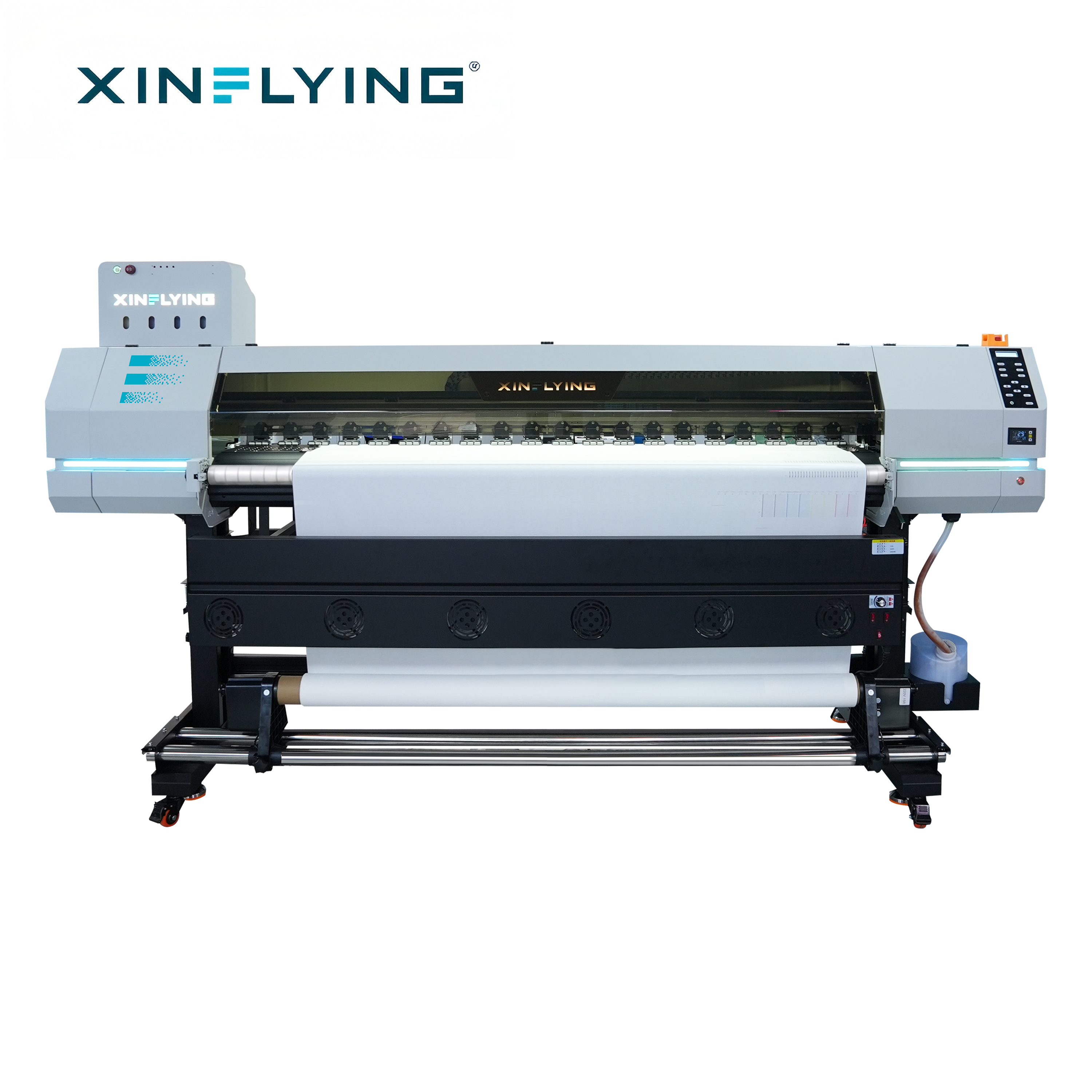
Every current Xinflying sublimation model uses Epson i3200-A1 industrial printheads, and the array size runs from one head on the XF-H1301X-1I32A1 to fifteen on the XF-19E15-PRO. Throughput scales with the array because a single pass over a wide web has to be covered by enough nozzles in one traverse; that is why the fastest rated modes sit with the multi-head machines rather than the single-head entry model.
Pass mode
Pass mode sets how many traverses build the image. The XF-19E8-PRO moves from 2PASS 153 m²/h to 1PASS 306 m²/h at its fastest settings, and from 2PASS 109 m²/h to 1PASS 210 m²/h at standard settings. The XF-19E15-PRO moves from 2PASS 254 m²/h to 1PASS 524 m²/h fastest, and from 2PASS 188 m²/h to 1PASS 394 m²/h standard. A 1PASS profile is a genuine production mode, but it deposits less ink per area per unit of time and therefore leaves less headroom for colour correction and for the dryer.
Resolution, ink limit and RIP configuration
The XF-19E8-PRO and XF-19E15-PRO are specified at 3200 dpi. RIP software is the layer that converts artwork into printing instructions and manages colour profiles, ink distribution, resolution settings and printer communication. Maintop is the standard RIP across the XF-H1301X-1I32A1, XF-H1802X-2I32A1, XF-19E8-PRO and XF-19E15-PRO; the XF-O2000-4I32A1 supports RIIN Print and Maintop; RIIN (Hoson only), PhotoPrint and Printfactory are listed as optional on the PRO models. Two machines with identical hardware can therefore behave differently at the same pass mode purely because of RIP settings.
Drying capacity and media
The XF-H1301X-1I32A1 uses an external constant-temperature automatic drying system; the XF-19E8-PRO and XF-19E15-PRO use an external intelligent air-heat integrated dryer. The XF-H1802X-2I32A1 and XF-O2000-4I32A1 add front, middle and rear break-controlled heating. The XF-O2000-4I32A1 accepts heat transfer paper rolls of 1000–1500 m with media up to 1 mm and 200 kg. When a faster profile outruns the dryer, the visible defect appears at the transfer stage rather than on the printer.
Power headroom and workshop environment
Rated power rises with the array: 2 kW on the XF-H1301X-1I32A1, 3.5 kW on the XF-H1802X-2I32A1, 8.5 kW on the XF-O2000-4I32A1, 10.2 kW on the XF-19E8-PRO and 14.5 kW on the XF-19E15-PRO, with the two PRO models specified on a 210–230 V, 45 A supply. Temperature and humidity are part of the profile too: 18–30 °C and 35–65% RH for the XF-19E8-PRO and XF-19E15-PRO, 20–35 °C and 45–65% RH for the XF-H1301X-1I32A1 and XF-H1802X-2I32A1, and 20–25 °C and 45–65% RH for the XF-O2000-4I32A1.
Where EN 55032:2015 Fits When You Change a Speed Setting
EN 55032:2015 is the European emission standard for multimedia equipment and belongs to the electromagnetic compatibility family of requirements a textile printer is documented against when it is placed on the EU market. It is an emissions standard: it constrains what the equipment radiates and conducts, not what it prints.
A saved profile does not redefine the machine, but it does define how hard the machine is working. A 1PASS profile on a wide head array fires far more often per second than a 4PASS profile on the same printer, and the dryer holds a higher duty cycle for longer. Those continuous-duty conditions are precisely what a buyer should be able to trace in the technical file rather than assume.
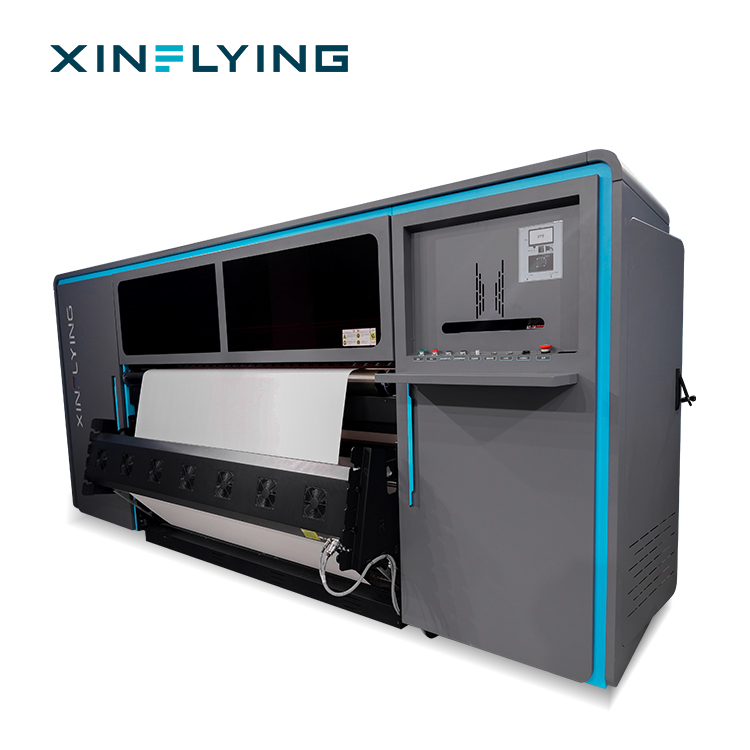
Applied to the XF-H1301X-1I32A1 — a 1.3 m roll-fed machine with one Epson i3200-A1 printhead, a 2 kW power requirement and a 110/220 V, 18 A/9 A, 50–60 Hz supply — the practical check is documentation, not assumption:
- Request the EMC test report and CE documentation that name that exact model designation.
- Confirm which standards the report references, including the emission standard applied for multimedia equipment such as EN 55032:2015.
- Confirm the report was not written for a different width, head count or power configuration.
- File the report alongside the profile record, so a future mode change stays traceable to a documented machine.
Two limits should be stated plainly. First, EMC documentation addresses electromagnetic compatibility; it is not evidence of print quality, and colour still has to be validated against a profile. Second, a certificate that does not match the delivered model is a compliance risk regardless of how capable the printer is — incomplete or mismatched documentation can cause customs delays, sales restrictions or additional compliance cost.
Step-by-Step: Building a Speed and Colour Profile
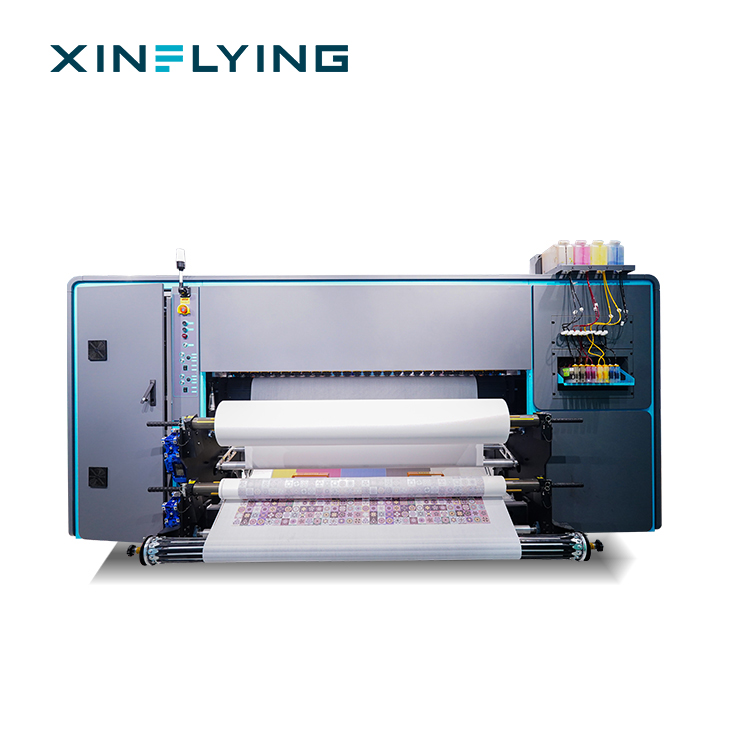
- Establish the baseline before touching speed. Place the printer on a stable surface, connect power and the required cables, install the sublimation ink system and confirm ink flows properly, then install drivers and configure the RIP. Confirm the room sits inside the specified temperature and humidity window for that model.
- Run a nozzle check and alignment first. Missing nozzles create banding that no colour table can repair, and printhead alignment is a listed cause of uneven output.
- Select the printing mode for the job, not the job for the familiar mode. Decide the pass mode from the product and deadline, then lock it for the run.
- Set resolution and speed against the actual fabric. Adjust printing resolution and speed according to fabric type and application rather than the showroom sample.
- Configure colour management inside the RIP. Select the correct ICC profile for the ink set and material, set the ink limit, then confirm printer communication settings.
- Print a colour test and compare it to the target. Compare visually, or against a defined numeric reference under ISO 12647-8:2021 where the client requires one.
- Resolve banding in sequence, not by guesswork. Nozzle check, printhead cleaning, verification of speed and resolution settings, alignment and calibration, then re-test.
- Save, name and record the profile. Complete test printing before mass production, and keep the parameter record for repeat orders.
Operating rules that prevent rework: do not change multiple printing parameters at the same time; always test settings before full production; use colour profiles matched to the specific ink and material; keep written records of optimised parameters so a repeat order starts from a known state rather than from memory.
Use Cases: Matching the Profile to the Product
Team sportswear and polyester kit. On the XF-19E8-PRO, plain colour grounds can run at 1PASS while detailed panels and gradients are held at 2PASS 153 m²/h fastest or 109 m²/h standard. The 3200 dpi specification supports the small text and sponsor marks that brand owners check first.
Blankets and home textiles. The XF-O2000-4I32A1 brings a 1950 mm width, 2PASS 180 m²/h and 4PASS 92 m²/h, and accepts 1000–1500 m paper rolls. On long runs, roll changes cost more time than the difference between two adjacent speed modes.
Shirts, sampling and short runs. The XF-H1301X-1I32A1 prints a 130 cm web at 4PASS 28 m²/h on a 2 kW supply. Its value is a profile library across many fabrics and short orders, not peak output.
Flags and soft signage. The XF-19E15-PRO prints a 190 cm web at 1PASS 524 m²/h fastest and 394 m²/h standard, and loads 1000 m paper rolls — a configuration for shops where the 1900 mm roll is already the default order format.
Comparison Table: Speed Modes Across the Xinflying Sublimation Range
| Model | Printheads (Epson i3200-A1) | Print width | Rated speed modes | Resolution | Power |
|---|---|---|---|---|---|
| XF-H1301X-1I32A1 | 1 | 130 cm | 4PASS 28 m²/h (fastest) | — | 2 kW |
| XF-H1802X-2I32A1 | 2 | 180 cm | 4PASS 52 m²/h fastest; 4PASS 42 m²/h standard | — | 3.5 kW |
| XF-O2000-4I32A1 | 4 | 195 cm | 2PASS 180 m²/h; 4PASS 92 m²/h | — | 8.5 kW |
| XF-19E8-PRO | 8 | 190 cm | 1PASS 306 m²/h / 2PASS 153 m²/h fastest; 1PASS 210 m²/h / 2PASS 109 m²/h standard | 3200 dpi | 10.2 kW |
| XF-19E15-PRO | 15 | 190 cm | 1PASS 524 m²/h / 2PASS 254 m²/h fastest; 1PASS 394 m²/h / 2PASS 188 m²/h standard | 3200 dpi | 14.5 kW |
What Belongs in a Profile Record
| Field | Why it matters |
|---|---|
| Model and serial number | Links the profile to the machine and to the matching certification documents |
| Pass mode and resolution | Defines the ink laydown; the cause most often missed when colour drifts after a speed change |
| ICC profile name and version | Prevents a correct file being judged against the wrong colour table |
| Ink limit and RIP settings | RIP parameters directly affect colour accuracy and ink usage |
| Dryer setting | Drying capacity is a separate limit from head speed |
| Fabric type and batch | Material differences are a documented cause of colour deviation |
| Heat press temperature and time | Transfer conditions decide the final colour, not the printer alone |
| Nozzle check and colour test result | Distinguishes head condition problems from profile problems on the next run |
FAQ
Does running a faster speed profile change the EMC compliance status of the printer?
The declaration belongs to the machine model rather than to a saved profile, but the profile determines the duty cycle the machine actually runs at. For the EU market, electromagnetic compatibility is documented as part of CE together with electrical safety, and EN 55032:2015 is the emission standard commonly referenced for multimedia equipment. Buyers of the XF-H1301X-1I32A1 should request the EMC test report and CE documents naming that exact model designation, and confirm the report does not describe a different width, head count or power configuration.
How much output is actually gained by changing the pass mode on a 1900 mm machine?
On the XF-19E8-PRO, moving from 2PASS to 1PASS takes the fastest rating from 153 m²/h to 306 m²/h, and the standard rating from 109 m²/h to 210 m²/h. On the XF-19E15-PRO the same move takes the fastest rating from 254 m²/h to 524 m²/h and the standard rating from 188 m²/h to 394 m²/h. The gain is real but conditional: a 1PASS profile still has to satisfy the dryer, the fabric and the colour target before it can be used in production.
What drives the cost of moving to a faster production profile?
The cost sits in the configuration rather than in the software setting: head count, print width, dryer capacity and power supply. The XF-19E8-PRO requires 10.2 kW on a 210–230 V, 45 A supply, against 2 kW on a 110/220 V supply for the XF-H1301X-1I32A1. Operating economics also favour sublimation in volume polyester work, with roughly 20–50% lower operating cost than DTF and 50–70% lower than DTG in large-scale polyester production. Purchasing terms are MOQ 1 unit, EXW/FOB/CIF/DDP delivery, and T/T, Western Union or PayPal payment.
How can a speed and colour profile be validated before the machine ships?
Acceptance inspection is carried out through pre-shipment tests conducted before delivery, so the profile can be validated as part of that stage. Ask for test prints produced from the agreed pass mode and ICC profile, the nozzle check record, the saved parameter file, and confirmation that the certification documents match the model being shipped. Validating these four items together prevents a machine from arriving with a profile that cannot be reproduced on site.
What should a textile producer check in a long-term sublimation printer supplier?
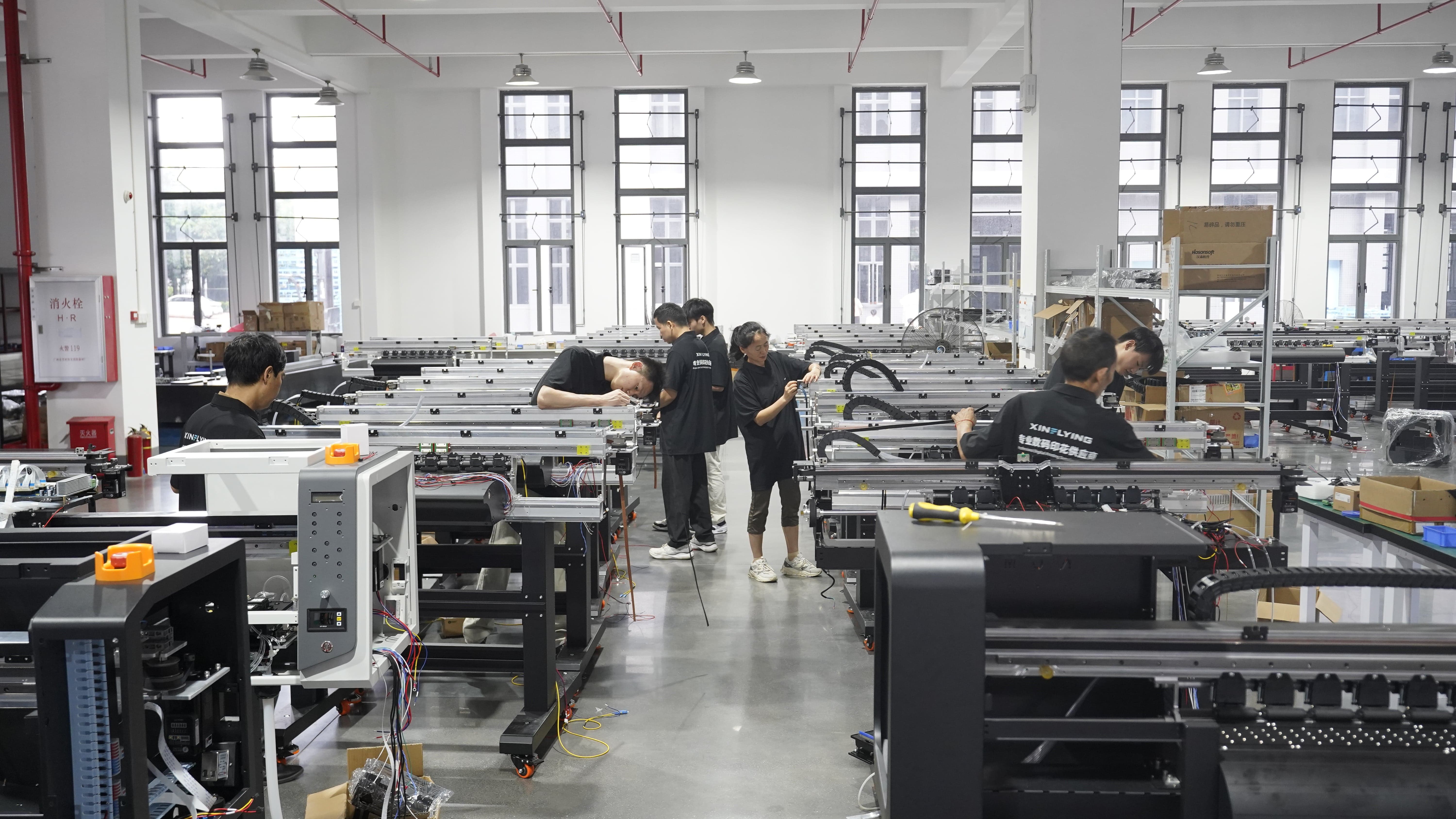
Look for the operational infrastructure that keeps a profile running after installation. Xinflying was founded in 2010, operates a 37,440 m² facility with more than 200 employees and 20 R&D engineers, and reports annual output of over 20,000 units. Export accounts for 80% of total sales, with major markets in North America, South America, Europe, Asia, the Middle East and Africa, supported by local warehouses and technical support in key markets. Combined with pre-shipment testing and a documented profile handover, that structure is what makes a multi-year production plan realistic.
Conclusion
Speed on a large format sublimation printer is a configured outcome. The rated numbers — 4PASS 28 m²/h on the XF-H1301X-1I32A1, 2PASS 180 m²/h on the XF-O2000-4I32A1, 1PASS 306 m²/h on the XF-19E8-PRO, 1PASS 524 m²/h on the XF-19E15-PRO — only hold when the pass mode, resolution, RIP colour management and drying are set together and recorded together.
The discipline has two halves. Operationally, change one parameter at a time, test before production, and keep the record. Commercially, confirm that the compliance file — including the emission documentation referencing a standard such as EN 55032:2015 — names the exact model you are running at that speed.
Next step: get the profile and the documentation in one package
Xinflying supplies dye sublimation printers from a 1.3 m single-head configuration to a 1.9 m fifteen-head production line, and can provide model-specific specifications, certification documents and pre-shipment test records with a quotation.
Request a quote or a specification pack: www.xin-flying.com · Email: info@xin-flying.com · Tel / WhatsApp: +86 188-1322-1357
Download the company brochure: Xinflying Corporate Brochure (PDF)
Have Questions or Need More Details?
Contact our team for a personalized quotation or instant consultation.
Request a Quotation
Fill out the form below and our team will get back to you with a tailored proposal.
WhatsApp Direct Chat
Prefer to chat in real-time? Message us on WhatsApp for instant assistance & quick answers.
- Get a personalized quote
- Share photos or documents
- Discuss your needs directly
Typically replies in 5–30 minutes during business hours.