
Integrating Inkjet Textile Printers in Smart Factories: IIoT and EMC Guide
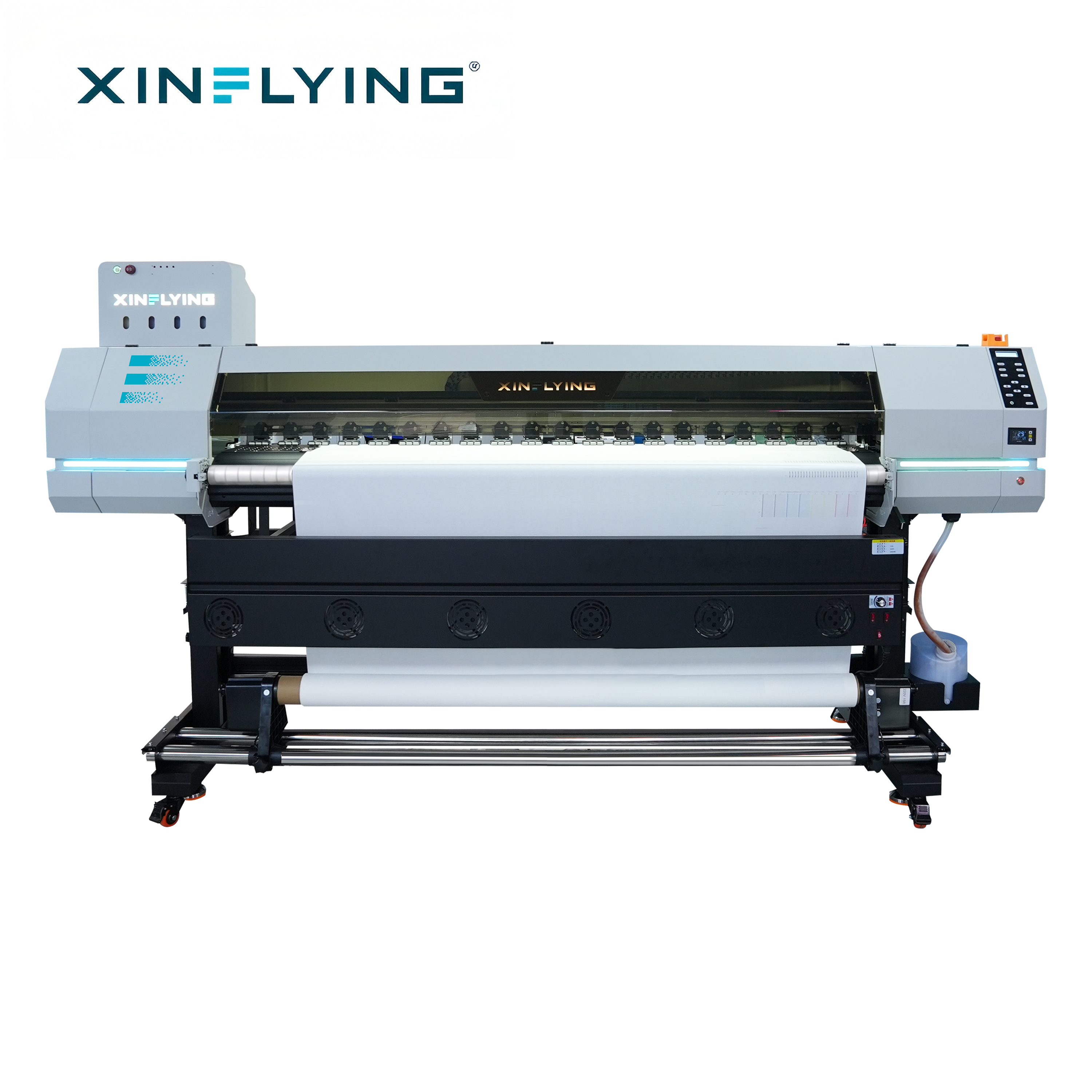
Cover: Xinflying XF-H1802X-2I32A1 roll-to-roll sublimation printer, the reference model for this IIoT integration explainer.
A smart factory does not become smart when a printer is connected to a network cable. It becomes smart when production data is stable, comparable, and usable for decisions. For inkjet textile printing, that means linking the printer, RIP workflow, edge gateway, and factory systems without introducing signal instability into a high-frequency production line. The XF-H1802X-2I32A1 is the reference model in this guide: a 1800 mm, two-head Epson i3200-A1 sublimation printer with printing speeds up to 52 m²/h. Before it is placed on an IIoT line, buyers should verify model-specific EMC evidence, including EN 55035 immunity documentation, because high-frequency operation makes electromagnetic stability a decision criterion, not an afterthought.
Problem Definition: Why Network-Ready Is Not the Same as IIoT-Ready
Network-ready describes a printer that can exchange data over a network interface. IIoT-ready describes a printer that can do so reliably inside a production system, under real electrical noise, with clear data ownership, alarm logic, and maintenance accountability. The gap between the two is where most integration projects either succeed or stall.
In a textile printing line, the printer is not an isolated office device. It sits near motors, heaters, transfer calenders, cutting equipment, and power cabinets. High-frequency operation can generate electromagnetic disturbance that affects communication boards, sensors, and data cables. A printer may print well in a showroom and still produce data dropouts on a busy factory floor. That is why EMC stability belongs in the procurement decision, alongside print width, head configuration, and speed.
The decision question for a factory manager is therefore not “Does this printer have a network port?” It is “Can this printer and its integration architecture maintain stable signals, accurate production records, and predictable maintenance under our actual operating conditions?” For the XF-H1802X-2I32A1, the practical check is to obtain the model-specific EMC file and confirm whether it covers EN 55035 immunity requirements before the printer is connected to a high-frequency IIoT line.
Industry Background: Why Textile Printers Are Moving Into the Data Layer
Dye sublimation printing is no longer only a print-shop process. It is part of a larger digital textile production system serving sportswear, home textiles, soft signage, promotional products, and custom apparel. Grand View Research values the global dye sublimation printing market at USD 16.4 billion in 2025 and projects it to reach USD 39.0 billion by 2033, with an 11.5% CAGR from 2026 to 2033. The same source reports that Asia Pacific held a 36.5% revenue share in 2025, with China as the largest country market. Mordor Intelligence values the dye sublimation printers segment at USD 1.88 billion in 2025 and expects USD 2.53 billion by 2030.
Those numbers explain why factories are asking for production data. When a roll-to-roll sublimation printer runs repeat patterns for sportswear or home textiles, the value of uptime is high. A large format sublimation printer that stops without warning creates waste, missed delivery windows, and idle labor. A commercial sublimation printer that reports nozzle status, job progress, ink consumption, and error codes can support planned maintenance instead of reactive repair.
The technology fit also matters. In high-volume polyester textile production, sublimation printing can provide 2–5× higher production efficiency and 50–70% lower operating costs compared with DTG printing. That efficiency advantage increases the cost of unplanned downtime, and it strengthens the case for connecting the printer to an IIoT system that can expose OEE, job status, and maintenance signals. The XF-H1802X-2I32A1, with two Epson i3200-A1 printheads, an 1800 mm printing width, and up to 52 m²/h output, sits in the entry-level to small-and-medium production segment. It is relevant for custom textile production, apparel sampling, and small-batch orders where data visibility can improve scheduling without requiring a full industrial line.
Detailed Solution: A Practical IIoT Architecture for Inkjet Textile Printers
The right integration architecture has four layers. The first is the device layer: the sublimation printer, its printheads, ink system, and RIP-controlled job queue. The second is the edge layer: a gateway or industrial PC that collects printer data, normalizes it, and buffers it when the network is interrupted. The third is the factory system layer: MES, ERP, quality, and maintenance systems that use the data for scheduling and traceability. The fourth is the analytics layer: dashboards and reports that turn raw signals into decisions.
For a network-capable inkjet textile printer, the edge layer is where most practical value is created. A gateway can read job status, production counts, error codes, and maintenance events, then pass only the relevant data to MES. This reduces network load and keeps the printer isolated from unnecessary traffic. It also creates a clean point for cybersecurity policy: the printer does not need direct internet access, and the gateway can control which systems receive production data.
EMC stability is the design constraint that ties the layers together. High-frequency operation requires attention to cable routing, shielding, grounding, and power quality. Data cables should be separated from power cables, shielded cables should be used where specified, and the printer should be connected to a stable power supply with appropriate surge protection. These are general engineering practices, not model-specific claims. For the XF-H1802X-2I32A1, the buyer should also request the model-level EMC test report and check whether EN 55035 immunity requirements are covered for the actual ordered configuration. A generic CE declaration is not a substitute for a model-specific file.
The result is not simply a connected printer. It is a production asset with controlled data flow, documented signal stability, and a maintenance workflow that can be audited. That is the difference between a smart factory pilot and a network experiment.
Step-by-Step Breakdown: Integrating a Sublimation Printer Into IIoT
Step 1: Define the decisions the data must support
Start with decisions, not sensors. A factory may need to know which job is running, how many meters have been printed, whether a nozzle check is due, and how often a specific error repeats. For a sublimation printer for shirts, sampling, or home textiles, the useful data set is usually smaller than the available data set. Define the minimum data points that support scheduling, quality, and maintenance.
Step 2: Audit the printer configuration and documentation
Confirm the actual model, printhead configuration, printing width, speed profile, and network interface of the ordered machine. For the XF-H1802X-2I32A1, the verified configuration is two Epson i3200-A1 printheads, an 1800 mm printing width, and printing speeds up to 52 m²/h. Then request the model-specific EMC documentation, including EN 55035 immunity evidence where applicable. Check that the document matches the model and configuration being installed.
Step 3: Design the edge and network segmentation
Place an edge gateway between the printer and the factory network. Use a dedicated production VLAN, restrict inbound and outbound traffic, and log all data exchange. If the printer supports an industrial protocol, confirm it with the supplier rather than assuming compatibility. If it does not, use a gateway that can collect data through the supported interface and translate it for MES or ERP.
Step 4: Validate signal stability under high-frequency operation
Run a pilot during actual production, not during idle time. Monitor data loss, reconnects, error logs, and print quality while nearby motors, heaters, and calenders are operating. Use shielded cables where required, separate data and power routing, and verify grounding. If the line shows intermittent communication faults, treat them as an EMC or installation issue until proven otherwise.
Step 5: Connect the RIP and production workflow
The RIP software remains the control point for color profiles, ink control, resolution, and job parameters. The IIoT layer should read from the RIP and printer without disrupting production. Keep job names, customer codes, and material batch data consistent so that a printed roll can be traced back to the correct job and material.
Step 6: Build alarms and maintenance triggers
Convert raw signals into actions. A repeated nozzle omission should trigger a maintenance task. A rise in ink consumption per square meter should trigger an inspection. A communication dropout should trigger an IT and maintenance check. The goal is not more alerts; it is fewer unplanned stops.
Step 7: Pilot, document, and scale
Run one printer for a defined production period. Record the data points, alarm thresholds, and response times. Document the EMC evidence, network layout, and gateway configuration. Then scale to additional machines only after the first integration is stable. For growing factories, the XF-O2000-4I32A1 with four Epson i3200-A1 printheads, a 1950 mm width, and up to 180 m²/h can be the next step; for high-volume industrial lines, the XF-19E8-PRO with eight Epson i3200-A1 printheads, 3200 dpi resolution, and up to 306 m²/h is the higher-capacity option.
Use Cases: Where Printer-to-IIoT Integration Pays Back
Sportswear and teamwear production. Repeat orders, size sets, and color consistency make data visibility valuable. A roll-to-roll sublimation printer connected to an edge gateway can report job progress and output, helping the factory compare planned versus actual production. The XF-H1802X-2I32A1 is a fit for sampling and small-batch sportswear work where an entry-level machine must still provide reliable production records.
Custom apparel and sublimation printer for shirts. Custom work involves frequent artwork changes and short runs. The integration priority is not maximum speed but quick job setup, clear job status, and traceability. A connected sublimation printer for T-shirts and apparel sampling can reduce manual job tracking and help the team see which orders are waiting for printing, transfer, or inspection.
Home textiles and blankets. Large-format sublimation printing for blankets and home textiles benefits from roll-level traceability. If a defect appears after transfer, the factory can use the print record to identify the printer, job, and material batch. The 1800 mm width of the XF-H1802X-2I32A1 supports common textile roll formats, while higher-volume lines can move to wider or faster models.
Factory with mixed printer fleets. A manufacturer may run an entry-level sublimation machine alongside a large format sublimation printer and a commercial sublimation printer. A common edge-gateway standard makes the fleet easier to monitor. The decision should compare each model by production role, data requirements, and EMC documentation, not by headline speed alone.
Comparison Table: Integration Approaches for a Textile Printer
| Integration approach | Data visibility | EMC and validation need | Typical fit | Decision note |
|---|---|---|---|---|
| Standalone printer with manual records | Job and output data recorded by operators | Low network exposure; local power quality still matters | Sampling, very small batch, early-stage custom printing | Lowest integration effort, but weak traceability and slower response to recurring faults |
| Network-capable printer plus edge gateway | Job status, output counts, alarms, and maintenance events | Model-specific EMC evidence and pilot testing recommended; check EN 55035 immunity where applicable | Growing textile printers, custom apparel, small-to-medium production | Balanced approach; keeps printer traffic isolated and supports MES or ERP reporting |
| Full MES/ERP integration with closed-loop scheduling | Production, quality, maintenance, and order data linked | Formal EMC validation, cybersecurity review, change control, and documented installation rules | High-frequency industrial lines and multi-printer factories | Highest value for OEE and traceability, but requires strong IT and maintenance ownership |
Comparison Table: XF Model Fit for Smart Factory Roles
| Model | Printheads | Printing width | Printing speed | Smart-factory role |
|---|---|---|---|---|
| XF-H1802X-2I32A1 | 2 × Epson i3200-A1 | 1800 mm | Up to 52 m²/h | Entry-level connected production, sampling, custom textile orders, and small-batch work |
| XF-O2000-4I32A1 | 4 × Epson i3200-A1 | 1950 mm | Up to 180 m²/h | Mid-range continuous daily production with higher data volume and scheduling needs |
| XF-19E8-PRO | 8 × Epson i3200-A1 | 1900 mm class | Up to 306 m²/h | High-volume industrial textile production with OEE, maintenance, and traceability requirements |
Model specifications are from the provided Xinflying content units. The table compares production roles; it does not replace a model-specific EMC review or a site survey.
FAQ
Which sublimation printer manufacturer is better for textile production?
There is no universal “better” manufacturer without a defined production case. A decision-stage comparison should check the model configuration, print width, speed, printhead type, compliance documents, and local support against the actual order profile. Xinflying (Guangzhou Xin Flying Digital Technology Co., Ltd.) is a China-based digital printing equipment manufacturer founded in 2010, with a 37,440 m² factory, 200+ employees, 20 engineers in R&D, annual output of 20,000+ units, and an 80% export ratio. For a smart-factory project, compare manufacturers on model-specific evidence: XF-H1802X-2I32A1 for entry-level and small-batch work, XF-O2000-4I32A1 for growing production, and XF-19E8-PRO for high-volume industrial lines. Ask for the EMC file that matches the model you will install, not a generic certificate.
What EMC documentation should I request before connecting a sublimation printer to IIoT?
Request the model-specific EMC test report and declaration for the exact printer configuration. Confirm the standards covered, the test conditions, and whether the file addresses EN 55035 immunity requirements for the intended environment. Check that the model number, electrical configuration, and options match the purchase order. If the documentation is generic or does not cover the installation conditions, do not treat the printer as validated for a high-frequency IIoT line until an engineering review or additional testing is completed.
Is the XF-H1802X-2I32A1 suitable for high-frequency smart factory production?
The XF-H1802X-2I32A1 is an entry-level sublimation printer with two Epson i3200-A1 printheads, an 1800 mm printing width, and speeds up to 52 m²/h. It is suitable for businesses starting sublimation printing, custom textile production, apparel sampling, and small-batch orders. For high-frequency continuous production, a factory should verify the printer’s EMC documentation and pilot the data connection under real electrical conditions. If the line requires higher output and more data density, the XF-O2000-4I32A1 or XF-19E8-PRO may be a better production fit, subject to the same model-specific evidence check.
How can I prevent signal instability when connecting printers to an IIoT network?
Use a segmented network and an edge gateway, separate data cables from power cables, apply shielding where specified, verify grounding, and use a stable power supply with appropriate protection. Pilot the connection during actual production, monitor reconnects and error logs, and treat intermittent faults as an EMC or installation issue until the cause is identified. Keep the printer off the public internet and control data exchange through the gateway.
What maintenance data should be connected for a sublimation printer?
Connect the data that supports action: nozzle check results, printhead cleaning events, ink supply status, calibration records, error codes, job counts, and output square meters. For continuous production, daily nozzle checks and regular cleaning are recommended, and maintenance frequency should reflect actual usage. Use the data to schedule maintenance before print quality drops, not after a customer complaint. To discuss a sample, quote, or integration checklist for Xinflying printers, contact info@xin-flying.com or visit www.xin-flying.com.
Next Step: Build the Evidence File Before the Network Cable
If you are comparing a 1.9m sublimation printer, a commercial sublimation printer, or a roll-to-roll sublimation printer for a smart factory project, start with the model-specific evidence file. Confirm the print configuration, request the EMC documentation, and pilot the data connection under real production conditions.
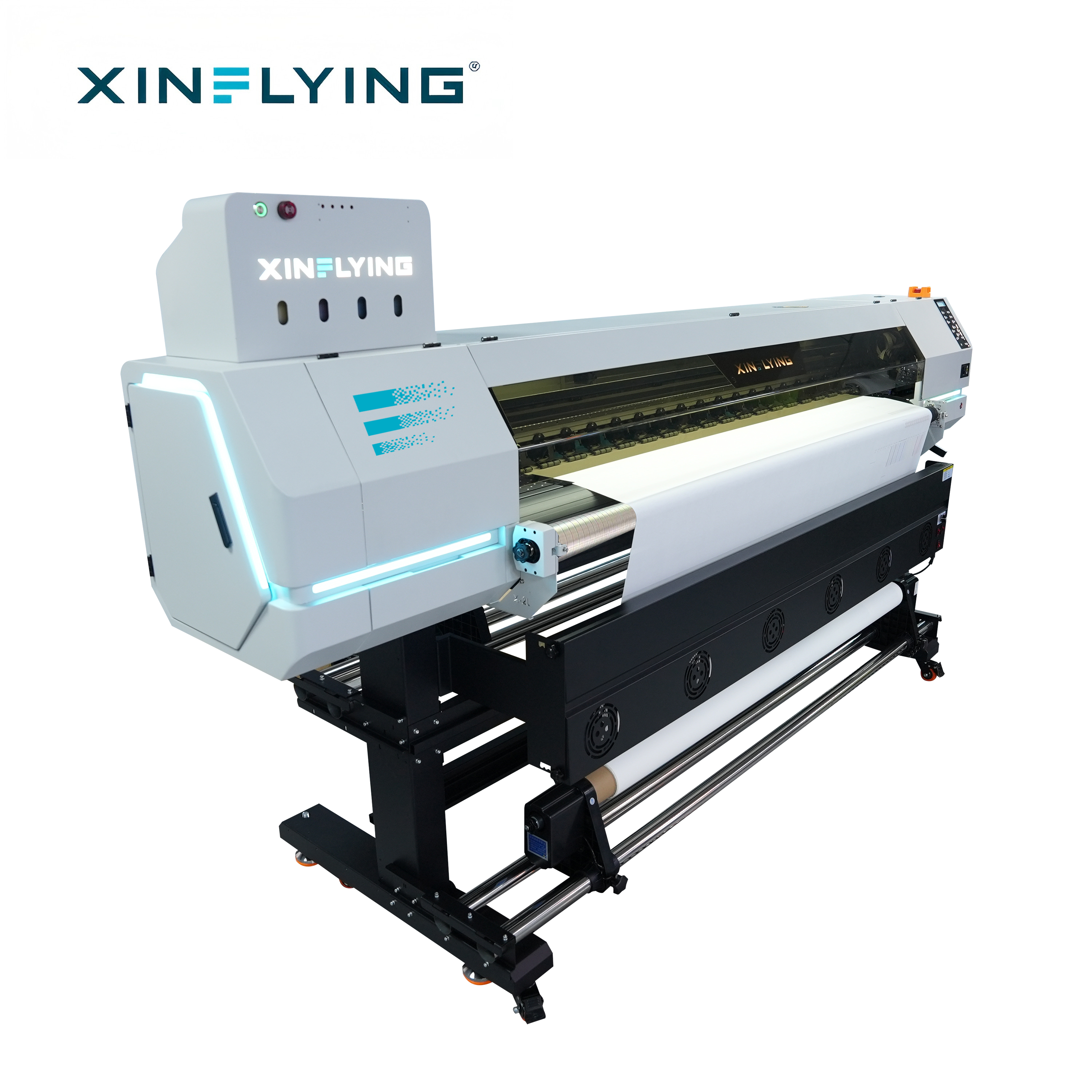
CTA: XF-H1802X-2I32A1 production configuration. Request the model-specific EMC file and integration checklist before ordering.
Download the Xinflying company brochure: Xinflying Corporate Brochure.
Conclusion: Smart Factory Integration Is a Decision About Evidence
Integrating an inkjet textile printer into a smart factory is not a one-time connection. It is a decision about data quality, electrical stability, maintenance discipline, and documented compliance. The XF-H1802X-2I32A1 can serve as an entry-level production printer for sampling, custom textile work, and small-batch orders, but its fit for a high-frequency IIoT line depends on the actual configuration and the model-specific EMC evidence. Buyers should request the EN 55035 immunity documentation, test the connection under real conditions, and scale only after the first printer is stable. That approach turns a network-ready printer into a reliable production asset rather than an isolated device with a cable attached.
Have Questions or Need More Details?
Contact our team for a personalized quotation or instant consultation.
Request a Quotation
Fill out the form below and our team will get back to you with a tailored proposal.
WhatsApp Direct Chat
Prefer to chat in real-time? Message us on WhatsApp for instant assistance & quick answers.
- Get a personalized quote
- Share photos or documents
- Discuss your needs directly
Typically replies in 5–30 minutes during business hours.