
Fix Print Leftovers and Fading Colors: Sublimation Output Troubleshooting
Fading colors and print leftovers on a sublimation printer are usually calibration and ink-handling problems rather than a failed machine. On roll-to-roll dye sublimation systems, almost every washed-out image, ghosted panel, or row of leftover lines traces back to one of five control points: nozzle condition, printhead alignment and print settings, color management through RIP software, sublimation ink handling, and drying or heat-transfer conditions.
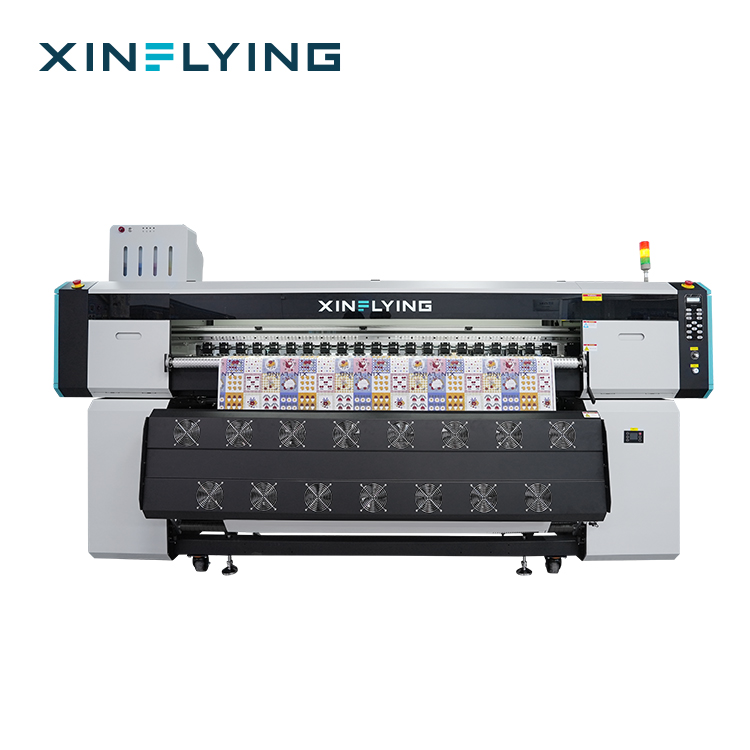
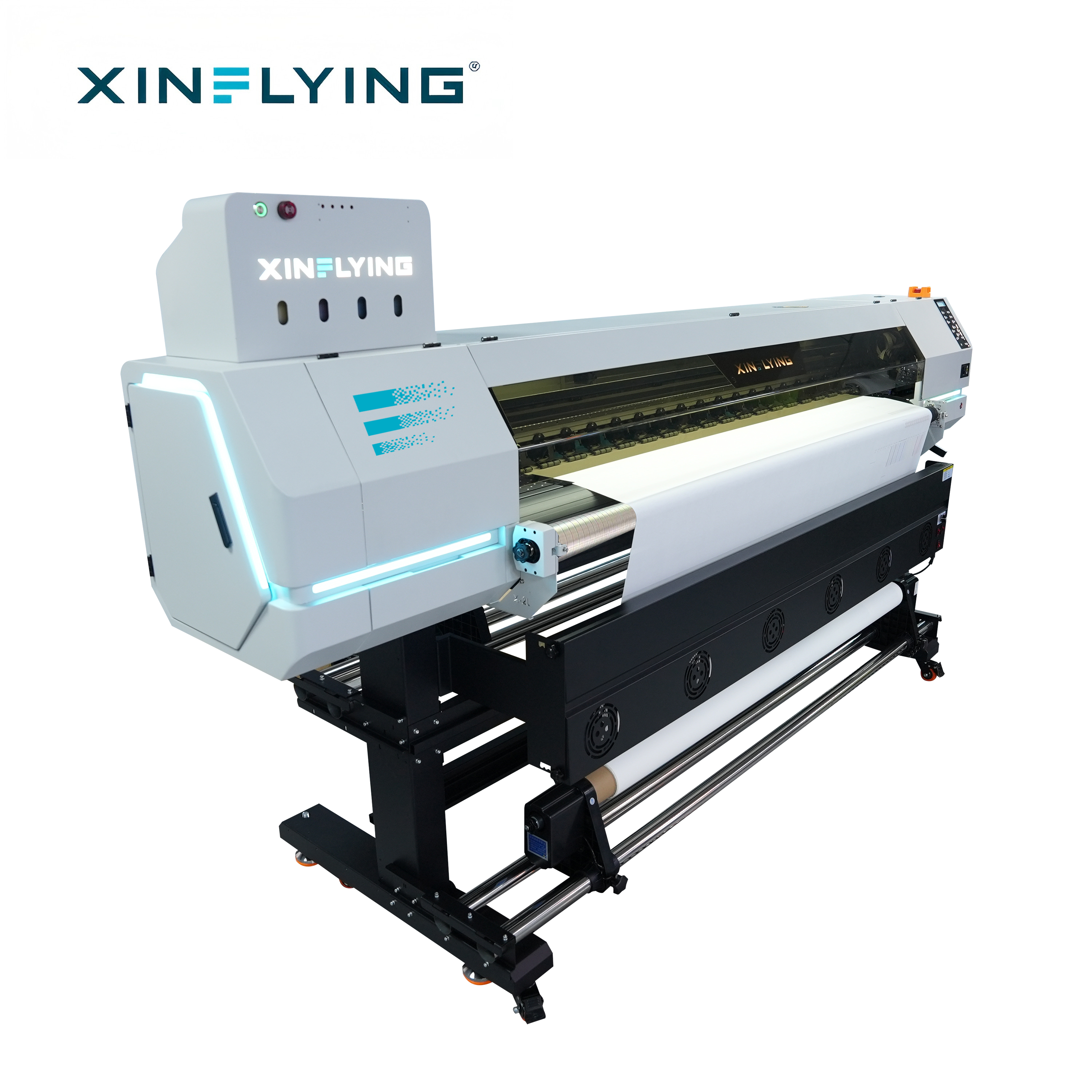
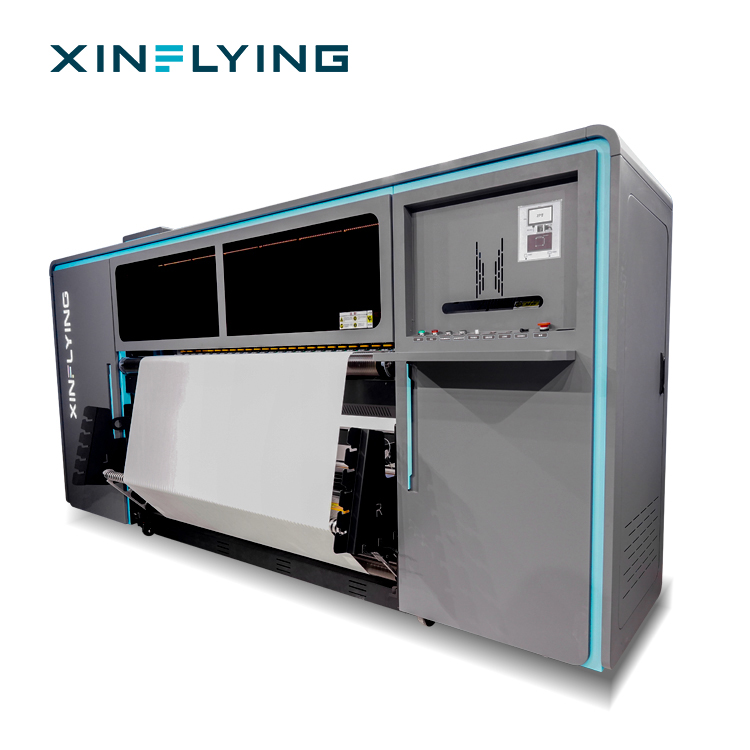
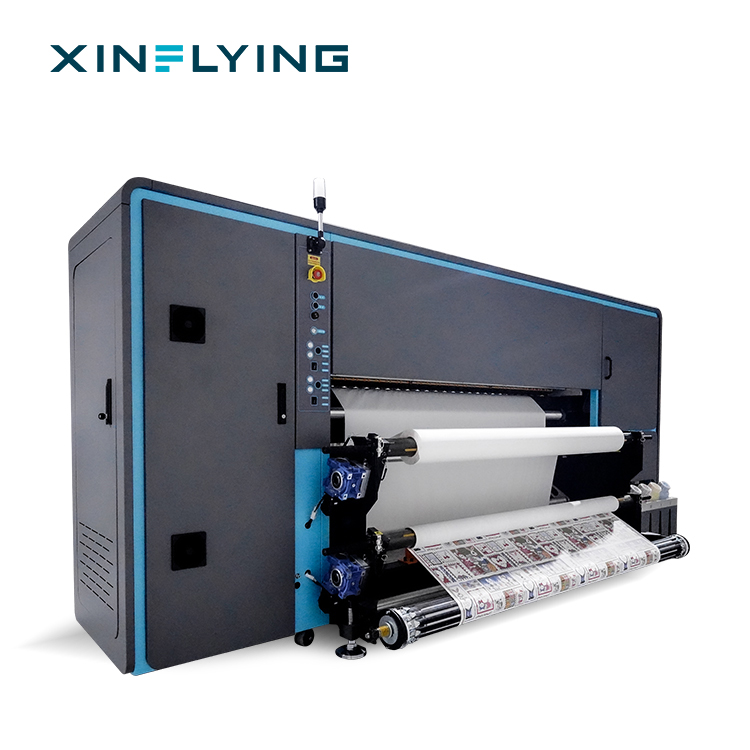
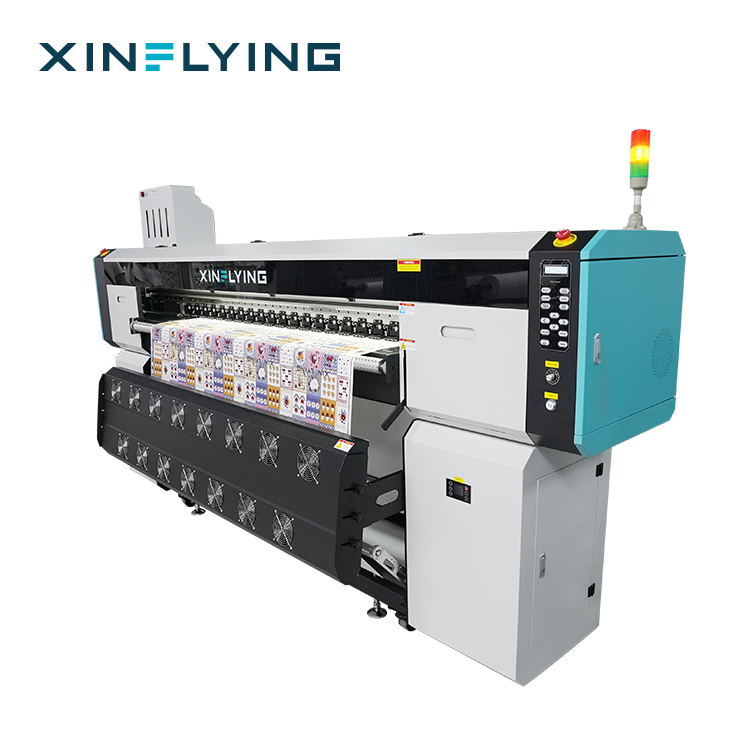
This guide defines both defect types, explains why they become costly at production scale, and then works through a fixed correction sequence. The control features on XINFLYING's wide-format sublimation printers — the XF-H1301X-1I32A1, XF-H1802X-2I32A1, XF-O2000-4I32A1, XF-19E8-PRO, and XF-19E15-PRO — are used as concrete reference points, because machine calibration and ink handling are where most of these defects are actually resolved.
What "Fading Colors" and "Print Leftovers" Actually Mean
Precise symptom definitions shorten diagnosis considerably, because fading and leftovers are two different defect families that can appear on the same production line.
Fading colors means the transferred result does not match the approved design. Colors appear too dark, too light, or visibly shifted toward a different hue, and the same file can produce different results between batches. In its milder form, density drops on large solid areas while fine detail still looks acceptable. Documented causes include incorrect ICC color profile settings, RIP software parameters that are not properly configured, sublimation ink quality or ink compatibility issues, incorrect temperature or transfer time during heat pressing, and differences between materials.
Print leftovers covers everything the output should not contain: horizontal lines and banding, uneven color areas, visible printing gaps, missing lines, incomplete colors, uneven ink output, and residual markings that carry through to the transferred fabric. The documented causes are partial printhead nozzle blockage, incorrect print resolution or speed settings, unstable ink delivery, incorrect printhead alignment, and a printer that requires calibration.
Both defect families are output symptoms rather than single faults. That is why changing ink or raising the drying temperature without inspecting the nozzles usually fails — the real cause is elsewhere in the chain, and it only reappears on the next production run.
Why Output Defects Scale Into Real Cost
Defect cost is proportional to production speed. The global dye sublimation printing market was valued at USD 16.4 billion in 2025 and is projected to reach USD 39.0 billion by 2033, growing at a CAGR of 11.5% from 2026 to 2033 (Grand View Research). Within that market, the dye sublimation printer segment alone was valued at USD 1.88 billion in 2025 and is expected to reach USD 2.53 billion by 2030 (Mordor Intelligence).
Production capacity is concentrated in Asia Pacific, which held a 36.5% revenue share of the dye sublimation printing market in 2025, led by China as the largest country market (Grand View Research). China's textile and garment exports reached USD 293.6 billion in 2023 (The Cannata Report / Grand View Research), and the wider large format printer market was valued at USD 10.57 billion in 2025 with a projection of USD 16.52 billion by 2034 (Fortune Business Insights). Inkjet production printers accounted for 87.3% of the production printer market by type in 2024 (Grand View Research), while demand for personalized apparel and home decor is the primary driver of a 13.1% CAGR in the digital textile sublimation market through 2030 (Grand View Research).
Two reference points shape how output quality is judged. ISO 12647-8:2021 provides the standard for graphic technology validation print processes working directly from digital data, which is directly relevant to sublimation color accuracy. Separately, FESPA industry insights describe roll-to-roll sublimation printers with widths of 1.9 m (1900 mm) as standard for high-volume textile and soft signage applications — the format used by most industrial dye sublimation production lines.
On the shop floor the consequence is simple. Equipment such as the XF-19E8-PRO reaches up to 306 m²/h in 1PASS mode (210 m²/h in standard mode), so a defect that is not caught before transfer is multiplied across every meter of paper and fabric that follows it. A nozzle check that takes minutes protects a shift of output.
Root Causes and the Controls That Solve Them
Correction works best when it follows the physical order of the printing process: nozzle condition first, then alignment and settings, then color management, then ink handling, then drying and the transfer environment.
1. Nozzle condition and ink supply stability
Printhead clogging is one of the most common issues in sublimation printing. Documented causes are sublimation ink drying inside the printhead, the printer not being used for an extended period, an unstable ink supply system, missing regular cleaning and maintenance, and incorrect or low-quality ink. The symptom appears as missing lines, incomplete colors, uneven ink output, or deteriorating print quality — which operators often first notice as fading or banding.
The correction sequence is a nozzle check to confirm printhead condition, standard printhead cleaning through the printer system, verification of the ink supply system to confirm continuous ink flow, deeper cleaning according to supplier instructions if required, and a test print afterwards. Machine-level design also matters: the XF-19E8-PRO and XF-19E15-PRO both include a fully sealed automatic moisturizing and cleaning system, which keeps the nozzle area conditioned between jobs instead of leaving it to idle dry.
Ink supply must be verified as a system, not just as a tank level. The XF-O2000-4I32A1 uses sublimation ink with 220 ml cartridges plus a 3 L ink tank and supports heat transfer paper rolls of 1000–1500 m, so a partially blocked line or an air pocket can produce uneven output long before the tank looks empty.
2. Printhead alignment, resolution, and speed settings
Banding with clean nozzles usually points to settings and mechanics rather than ink. The documented causes of banding include partial nozzle blockage, incorrect print resolution or speed settings, unstable ink supply, incorrect printhead alignment, and a printer that requires calibration. The corresponding correction steps are a nozzle check, printhead cleaning if output is abnormal, checking printing speed and resolution settings, performing printhead alignment and calibration, and re-testing.
A practical rule from the setup guidelines: do not change multiple printing parameters at the same time. Selecting a printing mode that matches the production requirement, adjusting resolution and speed to the fabric type, and then confirming the result with a test print keeps the diagnosis traceable.
3. Color management through RIP software and ICC profiles
RIP software is a printing control system that converts digital artwork into accurate instructions for professional printers. It processes image data before printing by managing color profiles, ink distribution, resolution settings, and printer communication, which is what produces accurate colors, smooth gradients, and consistent results across production tasks. In professional textile production, proper RIP management also reduces material waste caused by incorrect printing parameters.
Machine configuration therefore affects how easily color can be held stable. The XF-19E8-PRO ships with Maintop as standard and supports RIIN (Hoson only), PhotoPrint, and Printfactory as options at 3200 dpi resolution; the XF-O2000-4I32A1 works with RIIN Print and Maintop. When fading appears, the sequence to verify is: RIP color management settings, the correct ICC profile selection, ink quality and compatibility, heat-press temperature and transfer time, and finally material differences — then a test print with parameter adjustments made one at a time. Optimized settings should be saved for repeat orders, and different color profiles should be used for different inks and materials.
4. Ink handling and substrate matching
Sublimation printers require dedicated sublimation ink because the ink must transform into gas under heat and bond with suitable materials; regular inks cannot achieve the same gas transfer effect, and low-quality or incompatible ink is a documented cause of both printhead clogging and color deviation. Using supplier-recommended consumables, keeping the ink system sealed and clean, and avoiding long idle periods are all part of ink handling rather than optional maintenance.
Substrate matching completes the picture. Sublimation printing works best with polyester fabrics and polyester-coated substrates, because the dye bonds with the polyester fiber during heat transfer; cotton usually requires other printing methods or special coatings. A print that looks faded can therefore be a material mismatch rather than a machine fault.
5. Drying, heating, and the production environment
Incomplete drying leaves a wet surface that can smear and produce leftover marking on the transfer paper and fabric. Different machine classes solve this differently: the XF-O2000-4I32A1 and XF-H1802X-2I32A1 use front/middle/rear break-controlled heating; the XF-19E8-PRO and XF-19E15-PRO use an external intelligent air-heat integrated dryer; and the XF-H1301X-1I32A1 uses an external constant-temperature automatic drying system.
Environment ranges are part of the specification, not a suggestion. The XF-19E8-PRO and XF-19E15-PRO are rated for 18–30°C and 35–65% RH, the XF-O2000-4I32A1 for 20–25°C and 45–65% RH, and the XF-H1301X-1I32A1 and XF-H1802X-2I32A1 for 20–35°C and 45–65% RH. Stable temperature and humidity support consistent ink performance, color accuracy, and reliable long-term production. Keep the working area clean and dust-free, and use a stable power supply to protect electronic components.
Step-by-Step Troubleshooting Sequence
Working through the process in a fixed order prevents the most common mistake: adjusting several parameters at once and losing track of which change actually fixed the defect.
- Define the symptom precisely. Record whether the defect is fading (density or hue drift), banding (horizontal lines or uneven color areas), gaps, or leftover marking — and note where on the sheet it appears.
- Run a nozzle check. This confirms the printhead condition before anything else is touched.
- Clean the printhead if abnormal output is detected. Use standard printhead cleaning through the printer system; if required, perform deeper cleaning according to supplier instructions.
- Check the ink supply system. Confirm continuous ink flow, correct ink type, and no interruption between cartridge and tank — on the XF-O2000-4I32A1 that means the 220 ml cartridges and 3 L ink tank working as one system.
- Verify resolution and speed settings. Check the selected printing mode, resolution, and speed against the fabric type and application.
- Perform printhead alignment and calibration. Mechanical misalignment is a listed cause of banding and uneven output.
- Review RIP color management. Confirm the ICC profile, ink density, and output settings match the ink and material actually loaded, and confirm that the RIP is communicating correctly with the printer.
- Verify drying and transfer conditions. Check the dryer or heating configuration and the heat-press temperature and transfer time, then confirm the substrate is polyester or polyester-coated.
- Test print and compare against the reference sample. Change one parameter per test cycle, and keep test settings for the production run.
- Record and schedule. Save the optimized parameters for repeat orders and set maintenance frequency based on results — daily nozzle checks and regular cleaning are recommended for machines used in continuous production.
Use Cases: Where These Fixes Matter Most
Sportswear and team jerseys. Polyester sportswear relies on full-color graphics with gradients and all-over printing. A fading shift is immediately visible on a jersey set, so nozzle status and ICC profile accuracy are the two controls that protect the batch. Sublimation is well suited to large-area printing, repeat patterns, and consistent color output in continuous polyester production.
Home textiles and blankets. Blankets and home textile panels contain large solid areas where density drops and banding show up first. Drying consistency and printhead alignment matter more here, which is why front/middle/rear break-controlled heating or an external intelligent air-heat integrated dryer is used on the respective machine classes.
Soft signage, flags, and banners. Wide, flat color fields expose leftover lines and uneven ink output quickly. The 1900 mm (1.9 m class) and 1950 mm platforms are typical for these widths, and the print must be clean across the full width, not only in the centre.
Sampling and short-run customization. Frequent changeovers between designs and fabrics make setting discipline the highest-value habit. Because sublimation uses a digital workflow without screen preparation, designs can be changed through software — but each change is also an opportunity to load the wrong profile or speed setting.
Continuous production environments. In 24/7 operation, maintenance frequency determines whether leftovers and fading stay rare. Regular nozzle checks, suitable sublimation ink, proper operating conditions, and avoiding long idle periods are the preventive controls; automatic moisturizing and cleaning systems support the same objective between jobs.
Comparison Table: Method Choice and Machine Reference
The two tables below are decision aids rather than marketing claims. The first compares sublimation against the alternative printing methods buyers usually evaluate at the same time; the second lists the configuration differences between wide-format sublimation models, which is where defect behaviour is decided.
| Method | Fabric / substrate fit | Output and cost profile | Maintenance character | Best suited to |
|---|---|---|---|---|
| Sublimation printing | Polyester fabrics and polyester-coated substrates; ink is embedded into the fibers | Industrial systems typically deliver 30–100+ m²/h; in high-volume polyester production, 2–5× higher production efficiency and 50–70% lower operating costs compared with DTG; approximately 20–50% lower operating costs and 50–200 m²/h versus typical DTF systems at 5–30 m²/h; nearly 100% reduction in setup costs compared with screen printing | Stable transfer workflow for polyester applications; simpler than screen printing because designs change in software instead of new screens | Sportswear, polyester apparel, athletic uniforms, flags, banners, home textiles, promotional products |
| DTG printing | Mainly optimized for cotton apparel | Generally optimized for small-batch apparel printing at around 10–30 garments per hour | Requires garment pretreatment, direct garment loading, and regular maintenance for ink systems and printheads | Premium cotton garments and personalized cotton apparel |
| DTF printing | Cotton, polyester, blends, and dark-colored garments | Typical DTF printers operate at 5–30 m²/h depending on configuration | Requires management of film printing, powder application, and curing | Mixed-material and small-batch orders needing broad fabric compatibility |
| Screen printing | Various textiles with different ink systems | Competitive unit cost at large volumes of identical designs, typically 100–500+ identical pieces; sublimation removes nearly all setup cost for small-to-medium orders | Requires screen creation, ink preparation, cleaning, and storage management | Simple designs with limited colors in large quantities |
| Model | Printheads | Print width | Fastest print speed | Drying / heating | Rated environment |
|---|---|---|---|---|---|
| XF-H1301X-1I32A1 | 1× Epson i3200-A1 | 130 cm | 4PASS 28 m²/h | External constant-temperature automatic drying system | 20–35°C, 45–65% RH |
| XF-H1802X-2I32A1 | 2× Epson i3200-A1 | 180 cm | 4PASS 52 m²/h (standard 42 m²/h) | Front/middle/rear break-controlled heating | 20–35°C, 45–65% RH |
| XF-O2000-4I32A1 | 4× Epson i3200-A1 | 195 cm | 2PASS 180 m²/h (4PASS 92 m²/h) | Front/middle/rear break-controlled heating | 20–25°C, 45–65% RH |
| XF-19E8-PRO | 8× Epson i3200-A1 | 190 cm (75") | 1PASS 306 m²/h (standard 210 m²/h) | External intelligent air-heat integrated dryer; fully sealed automatic moisturizing and cleaning | 18–30°C, 35–65% RH |
| XF-19E15-PRO | 15× Epson i3200-A1 | 190 cm (75") | 1PASS 524 m²/h (standard 394 m²/h) | External intelligent air-heat integrated dryer; fully sealed automatic moisturizing and cleaning | 18–30°C, 35–65% RH |
FAQ
What compliance documents should I verify on a sublimation printer before it enters regulated production?
For the European market, buyers should verify CE compliance, including applicable electrical safety, electromagnetic compatibility, and product safety requirements. A reliable supplier should provide valid certification documents, test reports, and technical files that match the actual printer model; incomplete or mismatched compliance documents may result in customs delays, sales restrictions, or additional compliance costs. For the US market, buyers should check electromagnetic compatibility and electrical safety requirements based on the equipment configuration, since FCC compliance is commonly required for electronic equipment to control electromagnetic interference. Environmental documentation also matters: RoHS compliance helps confirm that electrical and electronic components meet restrictions on hazardous substances. In every case, confirm that the certification information corresponds with the equipment actually being supplied.
Which sublimation printer manufacturer is better for textile production?
There is no single answer, because "better" means matched to production scale, required print width, production speed, printhead configuration, ink system, RIP software compatibility, machine stability, maintenance requirements, and after-sales support. A practical split is: an entry-level configuration such as the XF-H1802X-2I32A1 with 2× Epson i3200-A1 printheads and an 1800 mm print width for startups, apparel sampling, and small-batch orders; a mid-range configuration such as the XF-O2000-4I32A1 with 4 printheads, a 1950 mm print width, and up to 180 m²/h for continuous daily production; and an industrial configuration such as the XF-19E8-PRO with 8 printheads, 3200 dpi, and up to 306 m²/h for high-volume textile production. XINFLYING (Guangzhou Xin Flying Digital Technology Co., Ltd.) is one manufacturer serving this segment: founded in 2010, operating a 37,440 m² facility with 200+ employees, a 20-engineer R&D team, annual output of 20,000+ units, and an export ratio of 80% across North America, South America, Europe, Asia, the Middle East, and Africa, with local warehouses and technical support in key markets. Because Epson leads the digital textile dye sublimation printer market with a 26.7% share, followed by Mimaki at 18.6% and Roland DG at 15.5% (Data Insights Reports), printhead ecosystem and spare-part availability are reasonable selection criteria alongside price.
Why do colors fade or leftover lines appear after transfer, and how are they corrected?
Fading is normally linked to incorrect ICC color profile settings, RIP parameters that are not properly configured, sublimation ink quality or compatibility issues, incorrect heat-press temperature or transfer time, and differences between materials. Leftover lines, uneven color areas, or visible gaps are normally linked to partial nozzle blockage, incorrect print resolution or speed settings, unstable ink supply, incorrect printhead alignment, and a printer that requires calibration. The correction sequence is: nozzle check, printhead cleaning if output is abnormal, ink supply verification, resolution and speed review, printhead alignment and calibration, RIP color management review, and a test print with one parameter changed per test cycle. Saving the optimized settings for repeat orders prevents the same defect from returning on the next batch.
Is a more expensive sublimation printer always better at preventing output defects?
Not necessarily. The best choice is the printer that matches actual production needs, budget, and future expansion plans. The cost drivers to compare are production capacity, printhead configuration, print width, ink system, drying and heating design, and RIP software, together with maintenance frequency and spare-part availability. On operating economics, sublimation printing provides 2–5× higher production efficiency and 50–70% lower operating costs than DTG in high-volume polyester textile production, roughly 20–50% lower operating costs than DTF in large-scale polyester work, and nearly 100% lower setup costs than screen printing for small-to-medium orders — so the investment decision is usually about waste reduction, uptime, and after-sales support rather than the initial price alone. Choosing only on initial equipment price, while ignoring daily output requirements, machine stability, and long-term operating costs, is a documented purchasing risk.
How do I keep colors stable and leftover lines rare in daily production?
Maintenance frequency depends on usage; for machines used in continuous production, daily nozzle checks and regular cleaning are recommended. To prevent printhead clogging, perform regular nozzle checks, use suitable sublimation ink, maintain proper operating conditions, and avoid leaving the printer unused for long periods. If print quality suddenly decreases, check nozzle status, clean the printhead if necessary, verify the ink supply, and review the printing parameters before changing anything else. Documentation, spare parts, and technical support are the other half of stability: suppliers with professional installation guidance, remote technical support, operation training, maintenance recommendations, and long-term spare-part availability reduce downtime risk significantly. For production planning support, XINFLYING can be contacted at info@xin-flying.com or +86 188-1322-1357 (also available on WhatsApp), and the full company catalogue is available for download below.
Conclusion: Troubleshoot in Process Order, Then Standardise
Fading colors and print leftovers are rarely random. On a dye sublimation printer they follow a consistent order of causes: nozzles first, then alignment and print settings, then RIP and profile management, then ink handling, then drying and the production environment. Resolving them in that sequence — with one parameter changed per test cycle and the verified settings saved for repeat orders — turns an unpredictable defect into a controlled routine.
Two habits make the difference over a full production year. First, treat maintenance as production scheduling rather than repair: daily nozzle checks and regular cleaning on continuous machines, correct ink, stable temperature and humidity within the rated range, and no long idle periods. Second, match the platform to the job: a 1800 mm entry-level machine for sampling and small-batch orders, a 1950 mm mid-range machine for continuous daily work, and a 190 mm-class industrial machine with moisturizing, cleaning, and intelligent drying systems for high-volume polyester output. Where buyers need to compare complete digital textile platforms rather than printers alone, XINFLYING also lists other systems in its range, including the XF-450PRO and XF-C604, alongside the wide-format sublimation models discussed here.
Next Step
If fading or leftover lines are recurring on your line, start with the step-by-step sequence above and compare your machine's rated environment, drying configuration, and printhead count against the model table. For specification questions, calibration support, or a configuration review for a specific production volume, contact XINFLYING:
- Website: www.xin-flying.com · Blog: blog.xin-flying.com
- Email: info@xin-flying.com · Tel / WhatsApp: +86 188-1322-1357
- Address: No.7, Xiecun 2nd Industrial Zone, Panyu, Guangzhou, Guangdong
- Company catalogue (PDF): XINFLYING corporate brochure and product overview
Have Questions or Need More Details?
Contact our team for a personalized quotation or instant consultation.
Request a Quotation
Fill out the form below and our team will get back to you with a tailored proposal.
WhatsApp Direct Chat
Prefer to chat in real-time? Message us on WhatsApp for instant assistance & quick answers.
- Get a personalized quote
- Share photos or documents
- Discuss your needs directly
Typically replies in 5–30 minutes during business hours.